Real-Time Translation on melp app
Break language barriers. Boost collaboration.
At melp app, we believe productivity should never be limited by language.
That’s why we’ve built a powerful, real-time Translation Feature that helps you connect, collaborate, and communicate—no matter what language your team speaks.
Whether you’re working with global teammates or multilingual clients, melp app auto-translation ensures every message is understood.
Productivity essential — not just communicate and collaborate.
Supported Languages
melp app supports real-time translation for the world’s most widely spoken languages, including: English, Spanish, Portuguese, French, German, Russian, Indonesian, Hindi, Chinese, Japanese, Korean, Malay
More languages are continually being added to keep up with your growing, global team.
How melp app Translation Works
- Once enabled, melp app automatically detects if a message is in a language different from your preferred language and offers real-time translation right inside your chat.
- No switching apps. No copy-paste. No delays.
When Does the Translator Activate?
Whenever melp app detects a message in another language, a popup prompt appears asking if you'd like to turn on translation.
You can enable it then or anytime from the chat screen.
How to Enable the melp app Translator
Available in: One-on-One Chats, Group Chats, Team Topics, In-call Chats
Step-by-Step Guide:
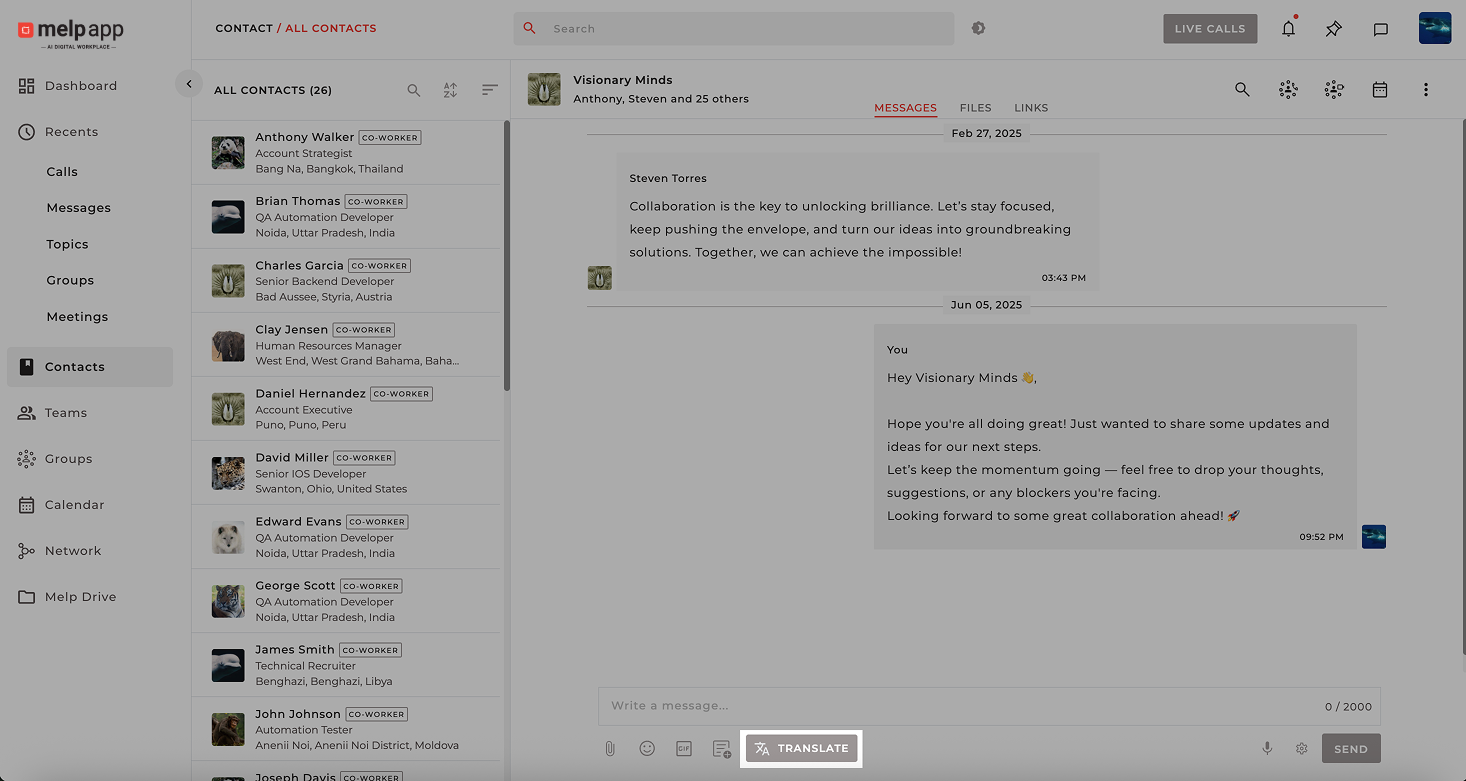
- Open any chat (personal, group, or topic) and click on the “ Translate” button.
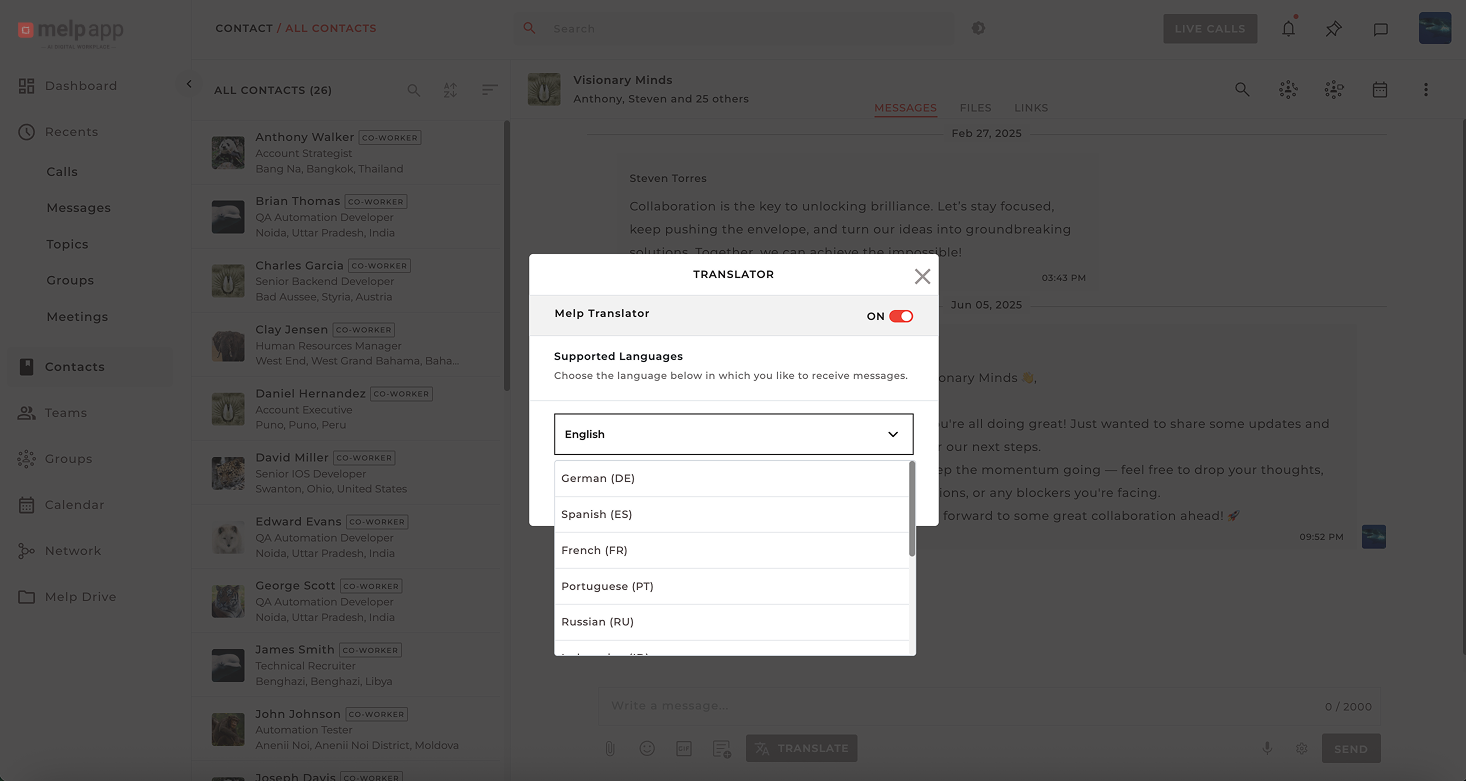
- The melp app Translator panel will open. Toggle the translator ON and choose your preferred language from the dropdown list.
- Click Done to confirm.
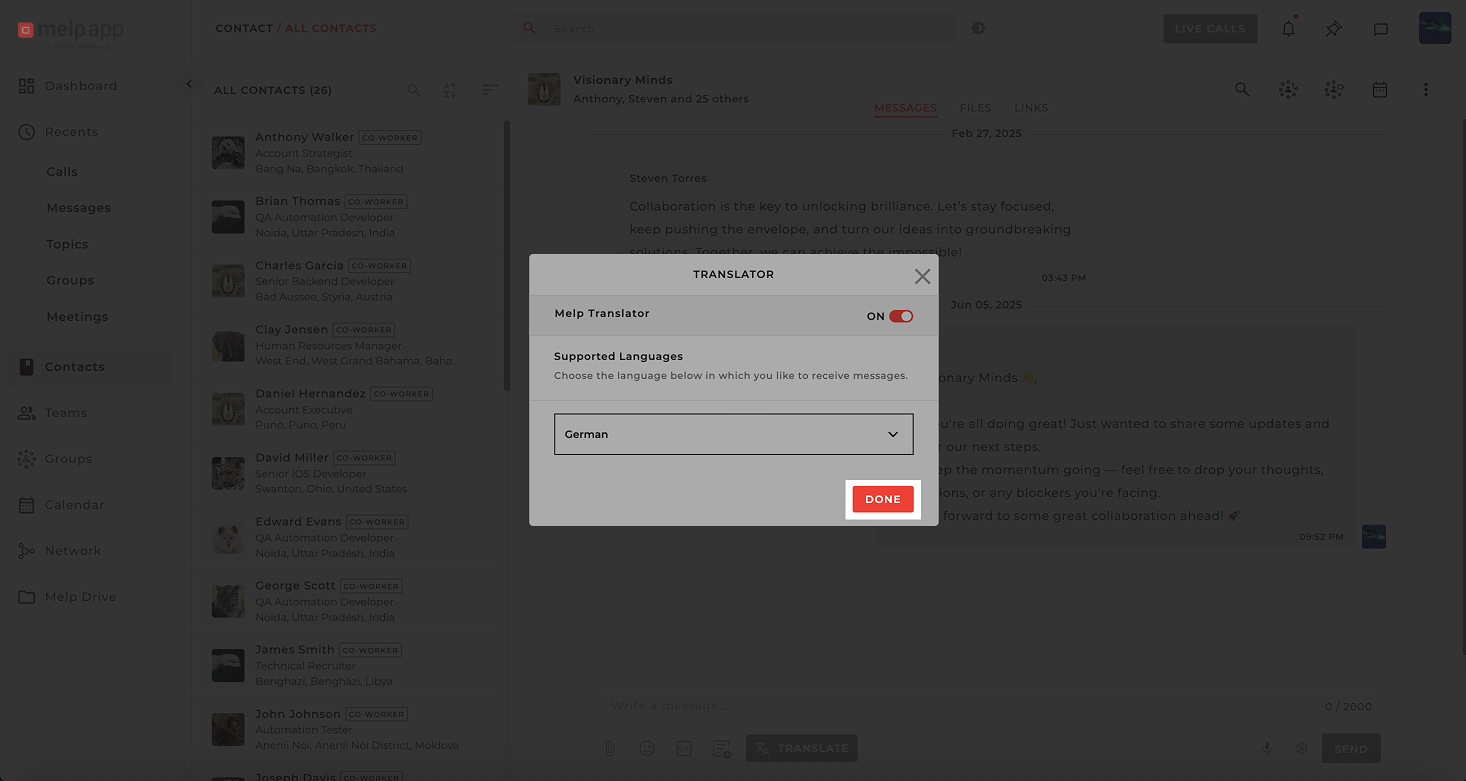
You’re all set! All future messages in other languages will now be automatically translated in real time.
Using Translated Messages
melp app makes it easy to manage translations your way:
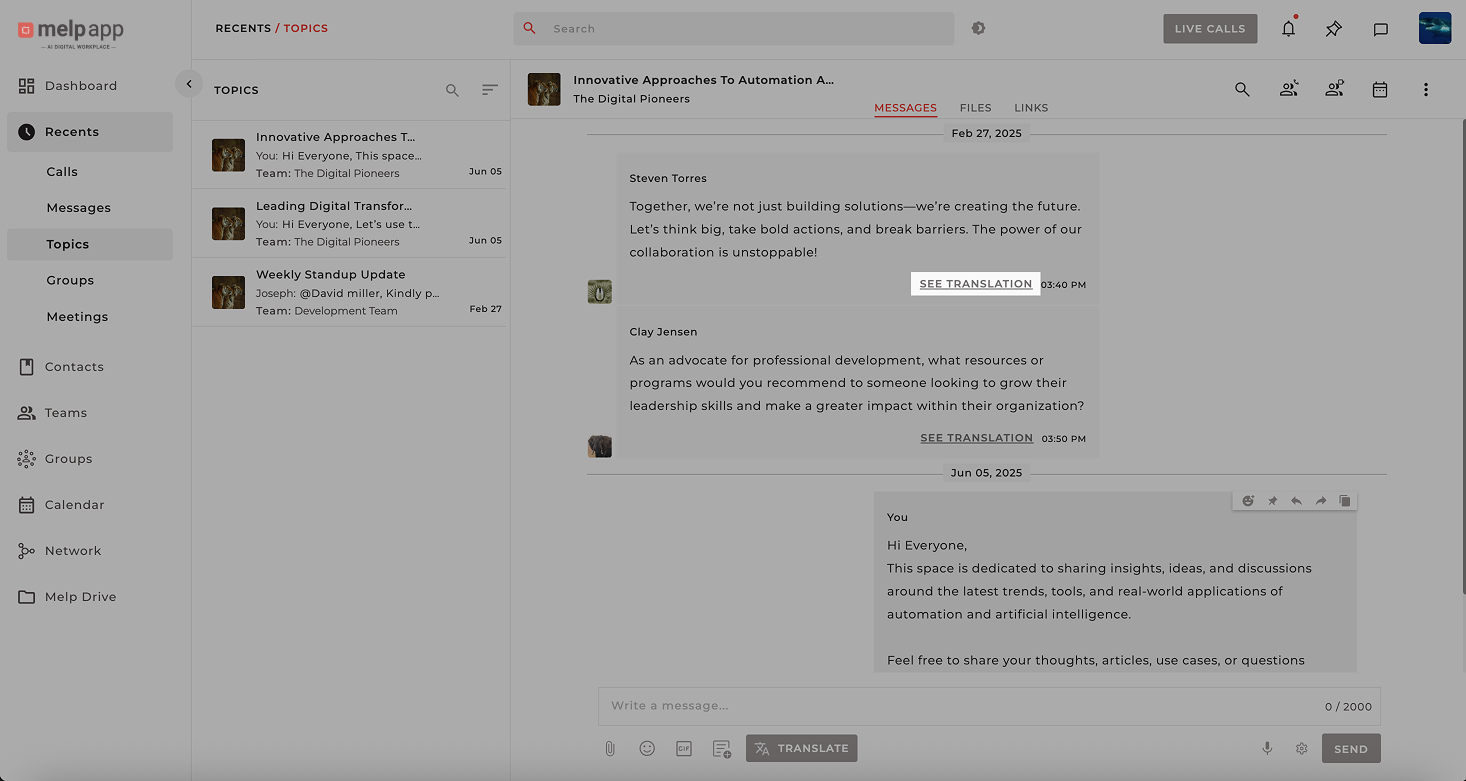
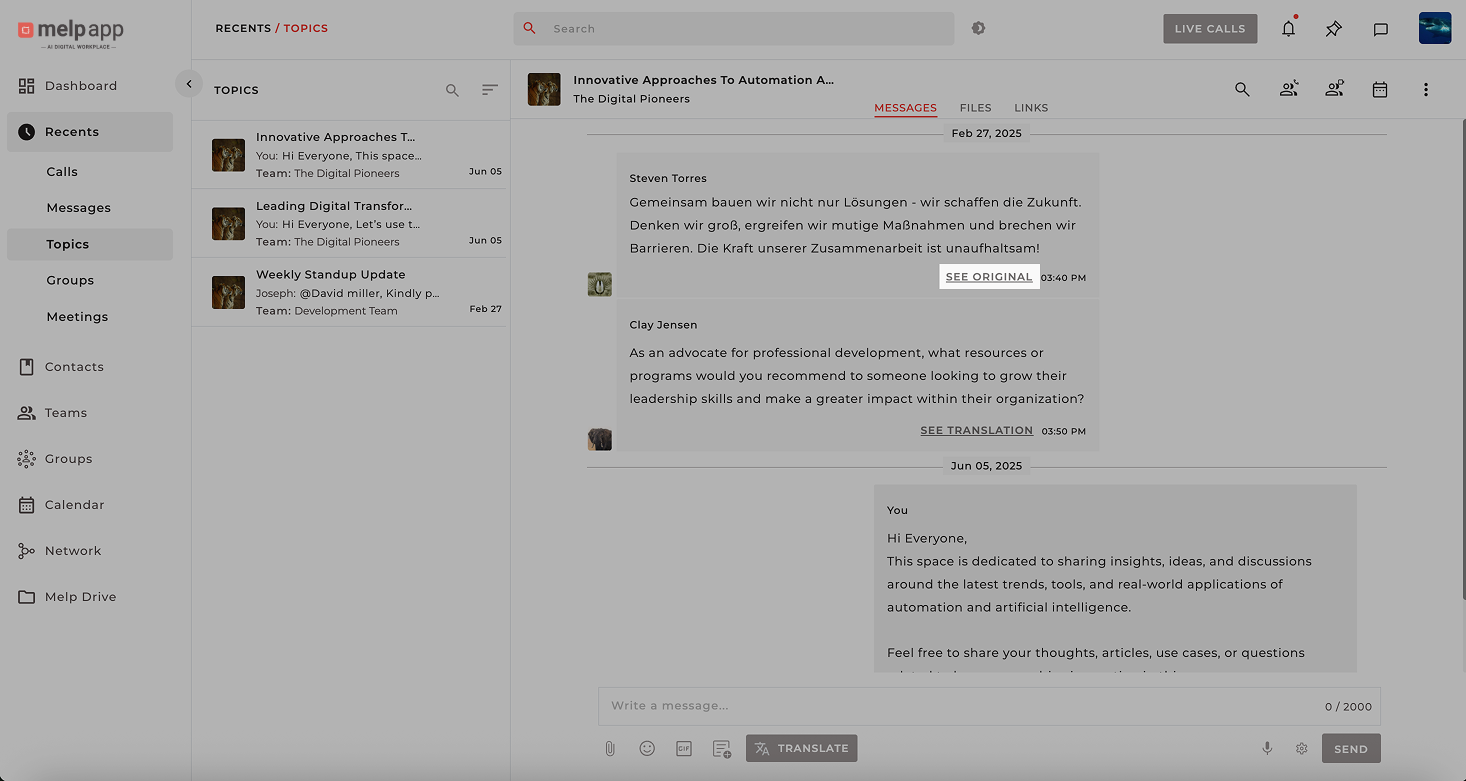
- See Translation
Appears right below each message in another language. Just click to view the translated version instantly.
- See Original
Want to check the original text? Click this to view the sender’s original message anytime.
- Auto Detection
melp app remembers your preferred language and continues translating automatically—no need to re-enable every time.
Why Teams Love It
- Smooth multilingual communication
- Instant, automatic translation—no manual steps
- Supports international teams and clients
- Fully integrated with all chat types on Melp
- Improves cross-border productivity and project flow
Final Thoughts
With melp app translation feature, you don’t just chat—you connect.
Whether it’s a quick note or a full conversation, language is no longer a barrier.
melp app Translation: Keeping productivity essential—across borders, time zones, and languages.