

Delete Your Account
Permanently remove your Melp account and all associated data.
Sometimes priorities change, and if you've decided to stop using Melp, you have the option to permanently delete your account.
This action is irreversible. Once your account is deleted, all of your data, history, and connections will be permanently removed and cannot be recovered.
Steps to Delete Your Account
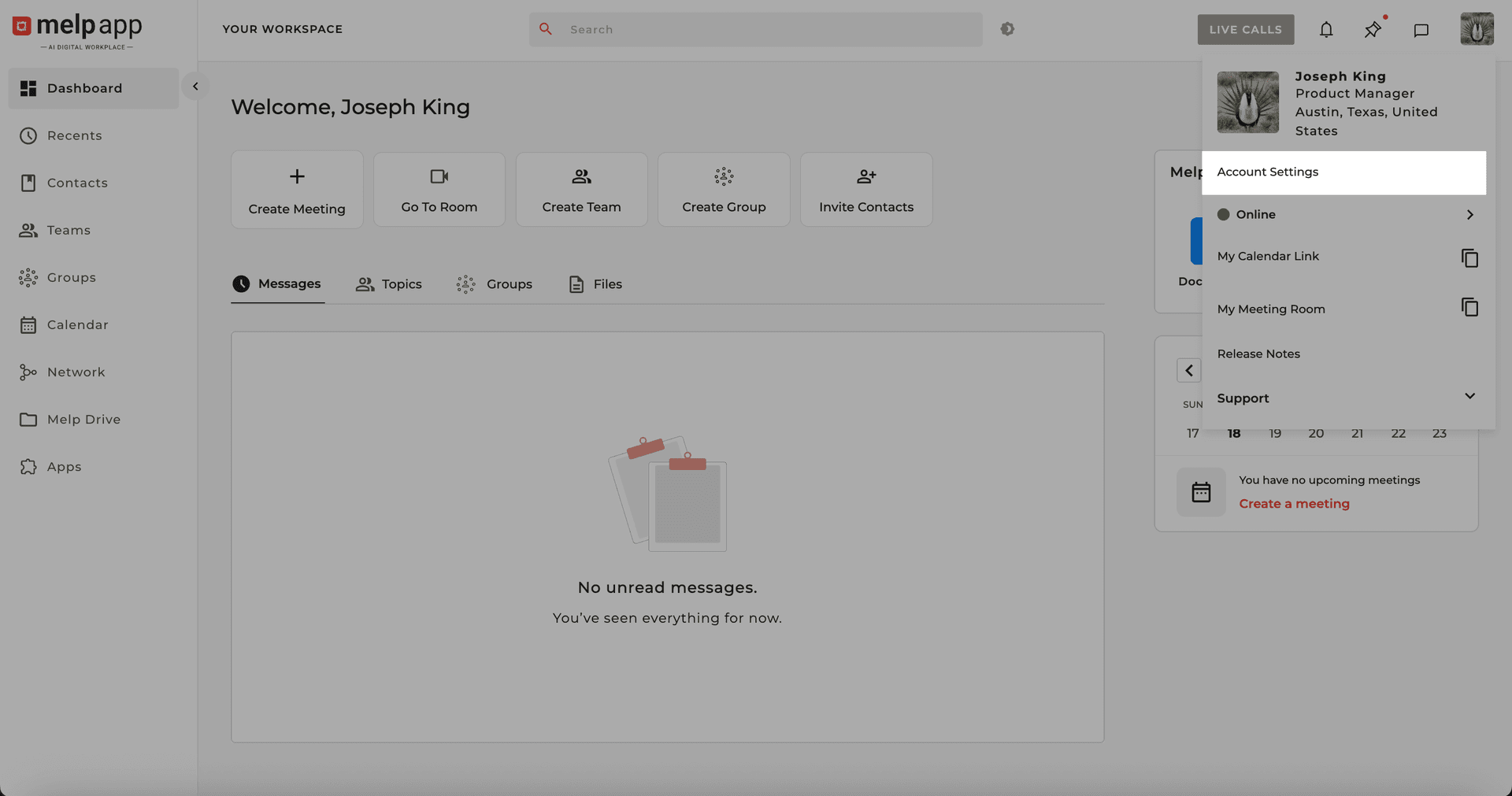
Open Account Settings
Navigate to your Account settings.
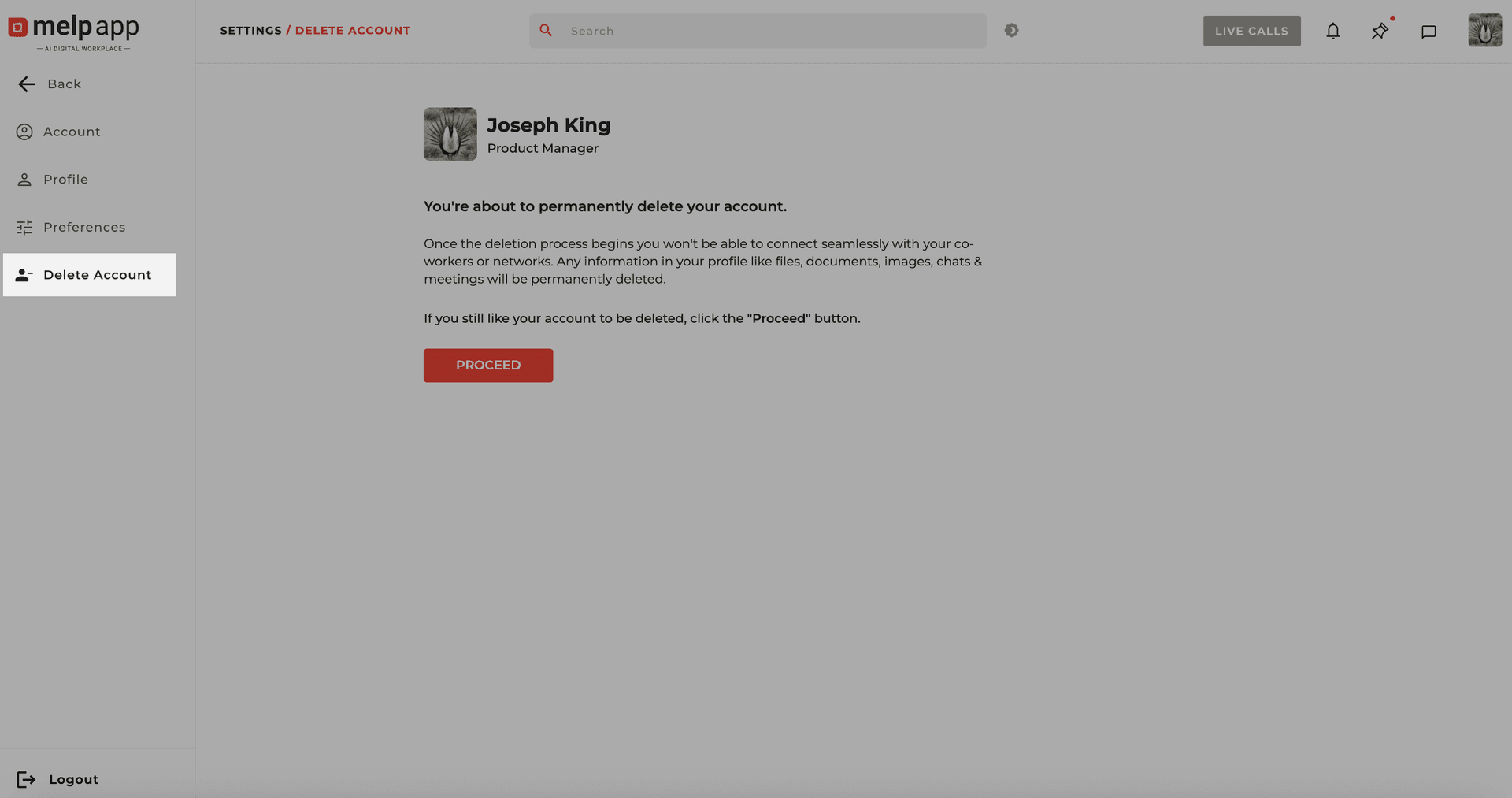
Open the Delete Account Tab
Click on the Delete Account tab.
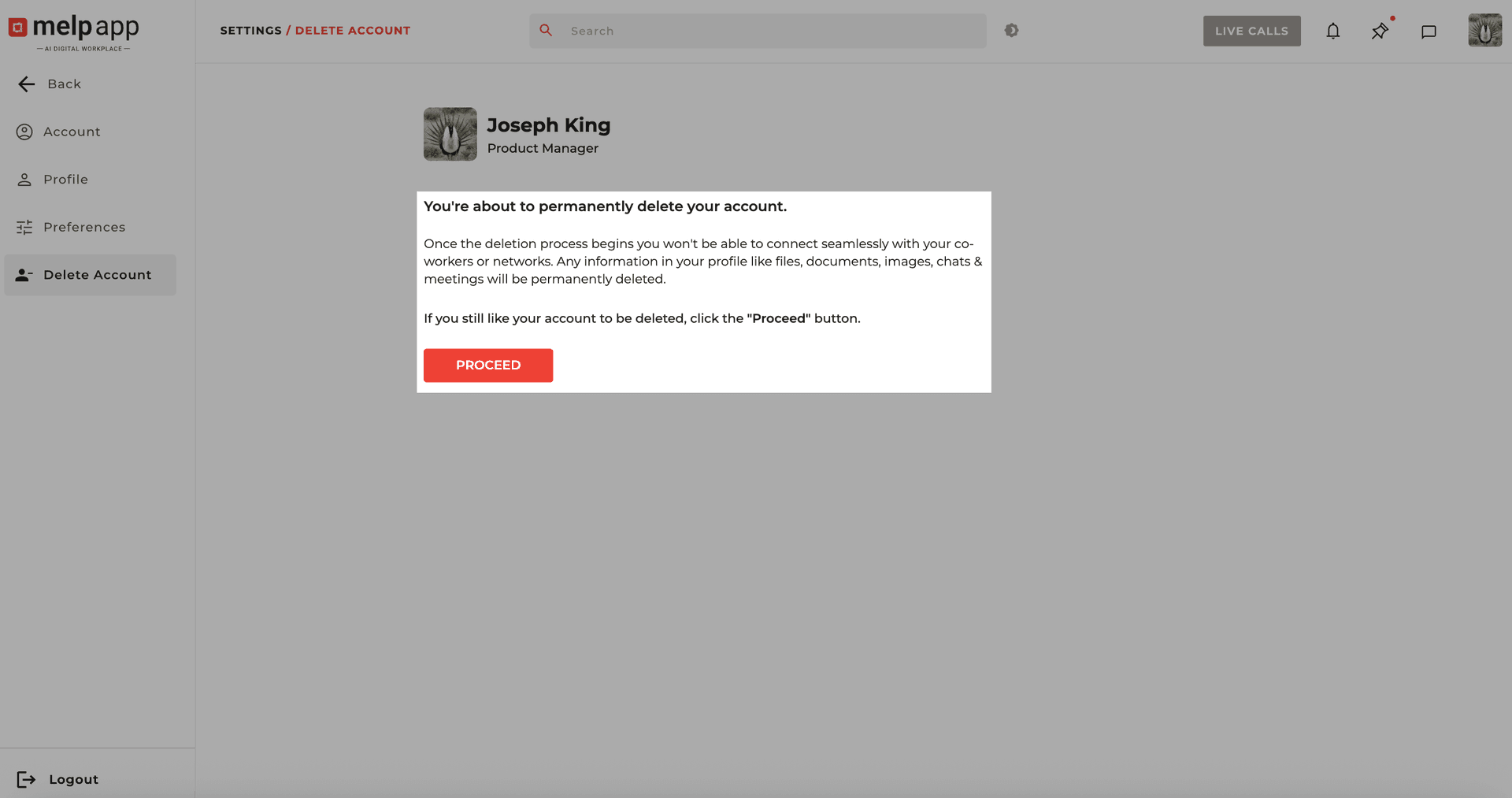
Review and Proceed
Carefully read the confirmation message to understand what will be erased. If you're sure, click Proceed. A verification code will be sent to your registered email address.
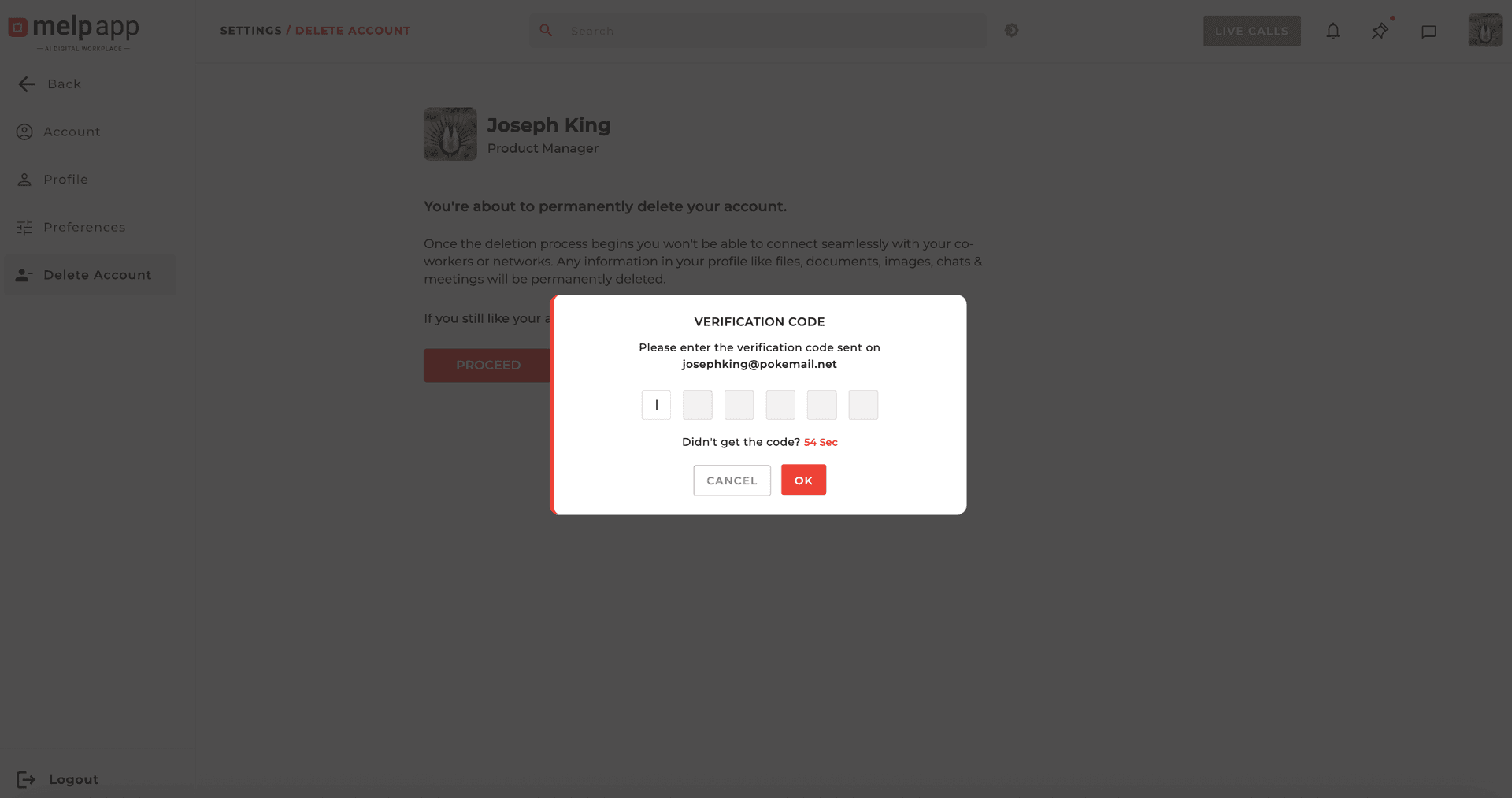
Enter Verification Code
Enter the verification code and click OK to confirm deletion.
Tip: If you just want to take a break, consider logging out or disabling notifications instead. Deleting your account should only be done if you're sure you won't be returning.