
Work today feels very different from what it looked like a few years ago. Teams no longer sit in the same office all day, communication does not happen through a single channel, and projects rarely stay within a single department. Businesses today increasingly collaborate across remote teams, external vendors, partner organizations, freelancers, and distributed stakeholders simultaneously. This shift is exactly why businesses actively search for the best team collaboration platforms for businesses in 2026 that can simplify communication, meetings, workflow visibility, productivity, and coordination inside one connected environment.
Some companies search for the best team collaboration platforms for startups in 2026 because they need flexibility and cost efficiency, while others evaluate the best team collaboration platforms for tech companies where integrations, visibility, and distributed collaboration matter more. Enterprises increasingly explore the best team collaboration platforms for large organizations that support security, multilingual communication, external collaboration, and operational scalability. Businesses also increasingly evaluate the best team collaboration platforms for small and medium-sized businesses because disconnected systems often slow teams down instead of helping them collaborate more effectively.
What Is a Team Collaboration Platform?
A team collaboration platform is a digital workspace where employees can communicate, manage meetings, coordinate tasks, share files, and collaborate more effectively inside one environment. Instead of depending on disconnected systems for messaging, scheduling, productivity, updates, and workflow coordination, businesses use collaboration platforms to centralize communication and improve visibility across projects and teams. Modern organizations increasingly rely on team collaboration software because distributed work environments now require faster coordination, connected workflows, and real-time communication across departments and external stakeholders.
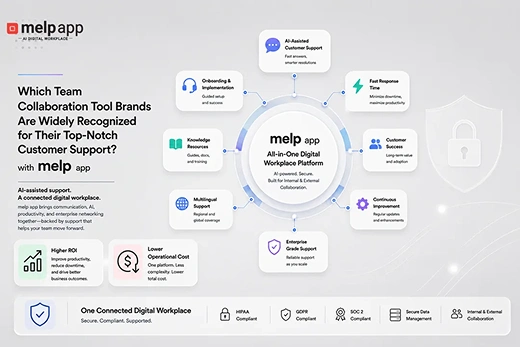
According to melp app, modern workplace collaboration is no longer limited to internal communication alone. Businesses now collaborate with remote teams, vendors, clients, freelancers, external stakeholders, and partner organizations simultaneously. This is why melp app follows a Multi-Enterprise Linking Platform approach, where communication, meetings, workflow visibility, productivity, scheduling, and external collaboration operate together inside one connected environment instead of across fragmented systems. Many startups, SMEs, tech companies, and distributed organizations increasingly explore melp app not only as a team collaboration app but also as an all-in-one digital workplace platform designed for connected business collaboration.
According to a recent McKinsey workplace collaboration research, businesses that improve connected collaboration workflows often reduce operational inefficiencies because employees spend less time switching between tools, searching for information, and managing fragmented communication environments.
Try melp app free and experience connected meetings, messaging, external collaboration, workflow visibility, and productivity inside one digital workplace environment.
What Are the Top 7 Team Collaboration Platforms for Businesses in 2026?
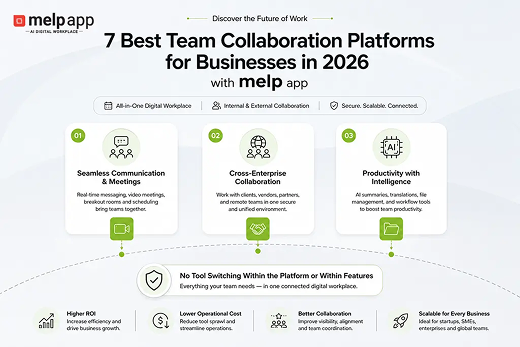
The top 7 team collaboration platforms for businesses in 2026 are melp app, Microsoft Teams, Slack, Google Workspace, ClickUp, Zoom Workplace, and Notion. Among these platforms, melp app follows a different collaboration approach because it supports internal as well as external collaboration workflows inside one connected environment. This is one reason many businesses increasingly position melp app as an all-in-one digital workplace platform instead of only a communication tool. Below, we explain each platform in terms of practical features and business outcomes instead of only comparing basic functionality.
1. melp app

melp app approaches workplace collaboration differently because the platform is designed around connected workflows instead of isolated communication systems. The platform’s name itself reflects its Multi-Enterprise Linking Platform approach, where businesses can collaborate internally as well as externally with vendors, clients, remote stakeholders, freelancers, and partner organizations inside the same environment. Instead of forcing employees to constantly switch between separate applications for meetings, messaging, file management, scheduling, and productivity coordination, melp app centralizes these workflows into one connected workspace. This reduces operational fragmentation while improving collaboration visibility across teams and projects. Many growing organizations increasingly position melp app among the best team collaboration software environments because modern collaboration now extends beyond internal communication alone.
Businesses today also expect collaboration environments to support multilingual communication, workflow visibility, external coordination, and productivity management together. melp app supports this through features such as real-time messaging, speech-to-speech translation, text-to-text translation, breakout rooms, AI-powered meeting summaries, centralized file management, meeting scheduling, professional networking workflows, and localization support inside one environment. The platform also integrates with Google Drive, Salesforce, Jira, and Asana while still reducing excessive dependency on disconnected systems. Many startups, distributed businesses, SMEs, and enterprises increasingly evaluate melp app because it functions not only as a team collaboration tool but also as an all in one digital workplace platform focused on connected business collaboration.
Many startups, SMEs, distributed businesses, and growing organizations also explore melp app because the platform offers flexible pricing options for both individuals and businesses. Currently, melp app offers Starter and Professional plans under its Individual category, while Standard and Premium plans are available for business collaboration environments. This helps organizations choose collaboration workflows based on operational size, productivity requirements, and distributed team coordination needs.
For more pricing details, businesses can explore the official pricing page here: https://www.melp.us/pricing
Key Features for melp app
- Secure enterprise messaging and collaboration
- Secure video conferencing for teams and businesses
- AI-powered meeting summaries and meeting notes
- Real-time speech-to-speech and text-to-text translation
- Topic-based chat and organized communication workflows
- Breakout rooms for focused meetings and discussions
- Evaluation mode for structured interviews and assessments
- Meeting scheduler and smart calendar coordination
- melp app works as a meeting scheduling app for businesses and teams
- External collaboration across organizations and stakeholders
- Centralized file management with melp drive
- melp suite for collaborative documents, spreadsheets, and productivity workflows
- Professional networking workflows inside the platform
- Integrations with Google Drive, Jira, Salesforce, and Asana
- Localization support for multilingual workspaces and global teams
2. Microsoft Teams

Microsoft Teams remains one of the most widely adopted enterprise collaboration environments because of its integration with Microsoft 365 services. Businesses already operating inside the Microsoft ecosystem commonly use Teams for meetings, document collaboration, scheduling, communication, and hybrid workplace coordination. Teams supports threaded conversations, video conferencing, webinar functionality, shared file access, and enterprise administration workflows. Many enterprises value the platform because Outlook, OneDrive, SharePoint, and Teams operate together within the same ecosystem. Large organizations often rely on Teams for structured communication and operational coordination across departments.
The platform is especially useful for organizations already dependent on Microsoft productivity infrastructure. Teams supports collaborative meetings, internal communication, document sharing, and enterprise scheduling workflows through connected Microsoft services. Businesses also integrate Teams into HR systems, productivity workflows, and enterprise administration environments. However, many businesses increasingly evaluate connected collaboration environments such as melp app because modern organizations now require external collaboration, workflow visibility, multilingual communication, and connected productivity coordination instead of relying mainly on enterprise communication systems alone.
Key Features
- Integration with Microsoft 365 ecosystem
- Enterprise video conferencing
- Shared document collaboration
- Outlook and calendar synchronization
- Hybrid workplace communication
- Webinar and live event support
- Enterprise administration controls
- Team chat and threaded communication
- SharePoint and OneDrive integration
- Cross-device accessibility
3. Slack

Slack is widely recognized for its channel-based communication structure and extensive integrations ecosystem. Many startups and product-focused companies use Slack because it enables fast communication across departments, projects, and distributed teams. Teams can organize workflows into channels while integrating tools such as Jira, GitHub, Google Drive, Notion, and Zoom into the same communication environment. Slack is particularly popular among software and development teams where communication speed and workflow flexibility are important operational requirements. Businesses also use Slack heavily for asynchronous collaboration across remote work environments.
Slack’s strength mainly comes from communication flexibility and third-party connectivity. Teams can automate workflows, organize project discussions, and centralize updates across different operational systems. The platform also supports huddles, searchable communication history, and lightweight collaboration workflows. Among the many team collaboration apps available today, Slack remains highly popular for communication-focused workflows. However, many organizations increasingly explore connected digital workplace platforms such as melp app because businesses now prefer collaboration environments where communication, meetings, productivity, scheduling, and external coordination function together instead of depending heavily on fragmented integrations alone.
Key Features
- Channel-based communication structure
- Extensive third-party integrations
- Workflow automation support
- Huddles and lightweight calls
- Searchable communication history
- File sharing capabilities
- Cross-platform accessibility
- Notification customization
- Asynchronous communication support
- Integration with development workflows
4. Google Workspace

Google Workspace remains one of the most commonly used cloud productivity ecosystems for startups, remote teams, educational institutions, and operational businesses. The platform combines Gmail, Google Meet, Docs, Sheets, Slides, Drive, and calendar coordination into one browser-based productivity environment. Many businesses prefer Google Workspace because employees are already familiar with Google applications and collaborative document editing workflows. Real-time document collaboration remains one of the platform’s strongest advantages for distributed teams and hybrid work environments. Businesses also value the platform’s accessibility across browsers, operating systems, and mobile devices.
Google Workspace is especially useful for collaborative documentation, shared cloud storage, scheduling coordination, and browser-based communication workflows. Teams can work together on shared files while coordinating through Google Meet and integrated calendar systems. Businesses also commonly connect Google Workspace with CRM systems, project management tools, and operational workflows. However, businesses increasingly explore connected digital workplace platforms such as melp app because modern workplace collaboration now requires external collaboration, productivity visibility, multilingual communication, and connected workflow management beyond document collaboration alone.
Key Features
- Google Meet video conferencing
- Shared document collaboration
- Google Drive cloud storage
- Gmail communication workflows
- Shared calendar coordination
- Browser-based accessibility
- Real-time document editing
- Cross-device synchronization
- Productivity ecosystem integration
- Enterprise administration controls
5. ClickUp

ClickUp has expanded from a project management system into a broader workplace productivity and collaboration environment. Many startups, agencies, operational teams, and distributed businesses use ClickUp to manage tasks, workflows, documentation, reporting, and team coordination inside one workspace. The platform supports collaborative task management, dashboards, workflow automation, shared documents, and productivity tracking for growing organizations. Businesses often adopt ClickUp when operational visibility and structured workflow coordination become important priorities.
ClickUp is especially useful for businesses managing multiple projects, distributed workflows, and deadline-driven environments. Teams can organize workspaces, automate repetitive workflows, assign responsibilities, and track productivity progress through customizable dashboards. The platform also supports integrations with communication and productivity systems used across distributed organizations. However, many businesses increasingly evaluate connected digital workplace platforms such as melp app because communication, meetings, workflow visibility, scheduling, and external collaboration increasingly need to operate together instead of across separate systems.
Key Features
- Task and workflow management
- Shared collaborative documents
- Productivity dashboards and reporting
- Workflow automation support
- Goal and progress tracking
- Team assignment and coordination
- Cross-platform accessibility
- Time tracking functionality
- Integration ecosystem support
- Operational workflow organization
6. Zoom Workplace

Zoom Workplace has evolved from a video conferencing platform into a broader workplace collaboration environment. Businesses widely use Zoom for meetings, webinars, hybrid communication, customer interactions, and distributed team coordination. The platform is especially popular because of its meeting reliability, accessibility, and large-scale virtual communication capabilities. Zoom Workplace now includes chat, whiteboards, scheduling, AI-powered meeting summaries, and collaboration workflows alongside traditional video conferencing features. Businesses across industries continue using Zoom for hybrid and remote communication environments.
The platform remains especially strong for organizations prioritizing virtual meetings, webinars, and customer-facing communication workflows. Zoom supports breakout rooms, meeting recordings, webinar hosting, AI-generated summaries, and cross-device accessibility for distributed teams. Businesses also commonly integrate Zoom with productivity ecosystems such as Google Workspace, Slack, Microsoft Teams, and CRM workflows. However, many organizations increasingly evaluate connected workplace collaboration platforms such as melp app because communication, productivity, scheduling, workflow visibility, and external collaboration now increasingly need to function together within one environment instead of relying mainly on meeting-centric systems.
Key Features
- Enterprise video conferencing
- Webinar and virtual event hosting
- AI-powered meeting summaries
- Breakout room functionality
- Team chat capabilities
- Shared whiteboards and collaboration tools
- Cross-device accessibility
- Meeting scheduling support
- Meeting recording and transcription
- Hybrid collaboration workflows
7. Notion

Notion is widely used for collaborative documentation, knowledge management, planning, and structured workspace organization. Many startups, operational teams, product departments, and distributed organizations use Notion to centralize internal documentation, SOPs, notes, project planning, and collaborative workflows. The platform allows businesses to build highly customizable workspaces for operational visibility and information management. Teams often prefer Notion because it combines documentation, lightweight project management, and collaborative editing into one environment.
The platform is especially useful for businesses focused on documentation workflows, internal knowledge management, and collaborative planning. Teams can create shared pages, manage structured databases, centralize operational documents, and coordinate project visibility inside customizable workspaces. Businesses also commonly integrate Notion with productivity and communication tools used across distributed teams. However, many businesses increasingly explore connected workplace collaboration platforms such as melp app because modern collaboration environments now require integrated meetings, communication, external collaboration, workflow visibility, scheduling, and productivity coordination alongside documentation management.
Key Features
- Collaborative documentation management
- Shared knowledge base creation
- Workspace and project organization
- Collaborative editing workflows
- Task and project visibility
- Database and template support
- Real-time collaboration support
- Workspace customization flexibility
- Operational documentation management
- Cross-device accessibility
Example: How Businesses Actually Evaluate Team Collaboration Platforms
A growing product company was using Google Workspace internally while one of its external partners relied heavily on Microsoft Teams for communication and meetings. Over time, collaboration became fragmented because meetings happened in one environment, files existed somewhere else, and updates were spread across multiple systems. Employees spent more time switching between platforms than actually collaborating. The company initially started searching for the best team collaboration platforms for tech companies because it wanted to reduce operational confusion and simplify distributed collaboration workflows.
During evaluation, the business explored melp app because the platform supported external collaboration inside the same environment instead of forcing external stakeholders into disconnected systems. After testing the workflow, both organizations realized they could manage communication, meetings, scheduling, workflow visibility, and collaboration together through one connected workspace. Over time, the companies reduced excessive tool switching while improving collaboration visibility, coordination speed, and operational efficiency across distributed projects and teams.
How to Choose Team Collaboration Platforms for Businesses
Choosing the right collaboration platform is no longer only about messaging or video meetings. Businesses today evaluate how effectively a platform supports communication, workflow visibility, productivity coordination, security, scalability, external collaboration, and operational management together. Modern collaboration systems should simplify workflows instead of increasing fragmentation through disconnected integrations and isolated applications. This becomes especially important for organizations evaluating the best team collaboration platforms for large organizations, where structured communication and operational visibility directly impact productivity.
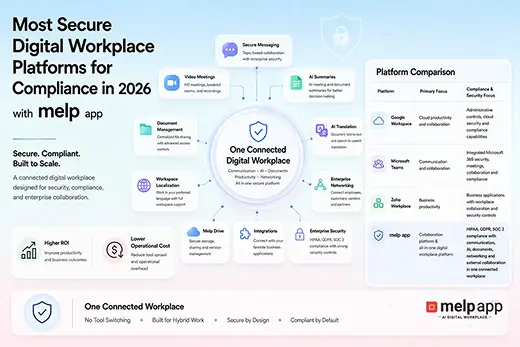
Businesses should also carefully evaluate whether a collaboration platform supports connected workflows across meetings, communication, scheduling, productivity, and external coordination. Security and compliance have become major evaluation factors for modern organizations as well. Companies increasingly review MFA support, centralized administration controls, VAPT testing practices, data governance capabilities, and operational security standards before selecting workplace collaboration systems. Businesses additionally evaluate whether collaboration platforms support multilingual communication, AI-powered productivity workflows, localization support, and connected visibility across distributed teams and projects.
What Businesses Should Evaluate Before Choosing a Collaboration Platform
- Security controls and MFA support
- Centralized communication and workflow visibility
- External collaboration capabilities
- AI-powered productivity and meeting support
- File management and shared collaboration environments
- Scalability for startups, SMEs, and enterprises
- Localization and multilingual collaboration support
- Connected workflow coordination across teams
Why Businesses Increasingly Explore melp app for Team Collaboration
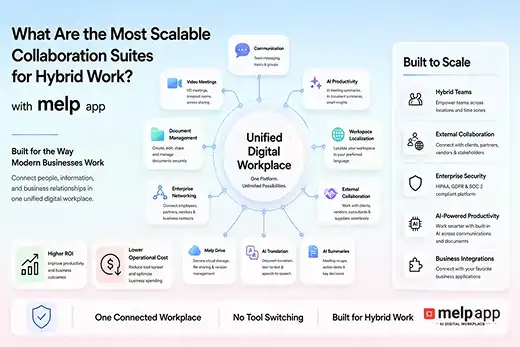
Many businesses today no longer operate only through internal teams. Companies increasingly collaborate with vendors, freelancers, external agencies, remote stakeholders, and partner organizations across different regions and workflows simultaneously. This is one reason startups, tech companies, SMEs, and enterprises increasingly explore melp app because the platform was designed around connected internal and external collaboration workflows instead of isolated workplace communication systems. The Multi-Enterprise Linking Platform approach behind melp app helps businesses simplify coordination across distributed environments while improving operational visibility across projects, meetings, and communication workflows.
Many businesses increasingly compare collaboration costs across platforms such as Microsoft Teams, Google Workspace, Slack, and other disconnected workplace systems because operational expenses often increase when organizations manage multiple subscriptions for meetings, messaging, scheduling, productivity, and collaboration separately. Businesses exploring melp app increasingly position the platform as a cost-effective all in one digital workplace environment because communication, meetings, external collaboration, workflow visibility, scheduling, productivity coordination, and file management operate together inside one connected ecosystem. This often helps organizations improve operational efficiency while reducing excessive tool switching and fragmented workflow management across distributed teams.
Outcomes Businesses Commonly Look For with melp app
- Higher ROI through connected collaboration workflows
- Lower operational costs compared to managing multiple disconnected tools
- Cost-effective collaboration environment for startups, SMEs, and enterprises
- No tool switching between meetings, messaging, scheduling, and productivity workflows
- No platform switching across communication and collaboration environments
- Centralized communication, meetings, workflow visibility, and external collaboration inside one URL
- Reduced dependency on multiple collaboration software subscriptions
- Better visibility across projects, teams, and distributed workflows
- Faster coordination between internal and external stakeholders
- Improved multilingual collaboration through real-time translation workflows
- Simplified collaboration management across distributed organizations
- Connected digital workplace environment designed for internal and external collaboration
Conclusion
The way businesses collaborate has changed completely over the last few years. Teams now work across locations, departments, time zones, and external organizations at the same time, which means collaboration platforms can no longer function as simple messaging or meeting tools alone. Businesses increasingly look for connected workplace environments that simplify communication, coordination, scheduling, productivity, and workflow visibility together instead of forcing employees to manage fragmented systems across multiple applications.
Platforms such as Microsoft Teams, Slack, Google Workspace, ClickUp, Zoom Workplace, and Notion continue supporting different collaboration needs depending on business workflows and operational priorities. However, many startups, SMEs, distributed businesses, and enterprises increasingly evaluate melp app because the platform combines communication, meetings, workflow visibility, multilingual collaboration, external coordination, productivity management, and scheduling together inside one connected digital workplace environment. As collaboration becomes more distributed and operationally complex in 2026, businesses increasingly prioritize platforms that simplify workflows instead of adding more disconnected tools into the workplace ecosystem.
Explore how melp app helps businesses simplify meetings, communication, external collaboration, workflow visibility, and productivity inside one connected digital workplace platform. Try melp app free today.