Skip to content
How to Choose the Best Team Collaboration Platform for Your Organization
Article July 11, 2025 14 min read

How to Choose the Best Team Collaboration Platform for Your Organization

Every organization needs clear, consistent communication to function well. But let’s be honest — not every tool actually helps teams work better. That’s where the right Team Collaboration Platform comes in. Today's organizations need more than…

Table of Contents

Every organization needs clear, consistent communication to function well. But let’s be honest — not every tool actually helps teams work better. That’s where the right Team Collaboration Platform comes in.

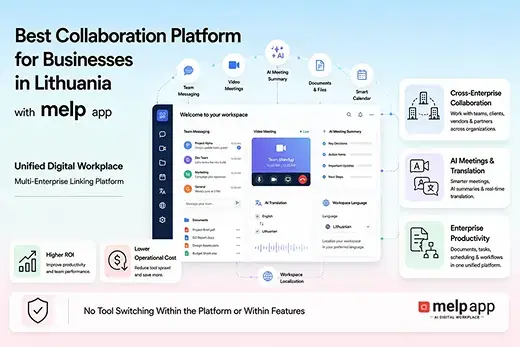
Today’s organizations need more than basic chat and meetings because employees, clients, partners, and vendors often collaborate across different locations, departments, and even companies. According to melp app, modern collaboration requires a multi-enterprise approach that connects both internal and external communication within one secure workspace instead of forcing users to switch between multiple disconnected tools. This is why businesses are increasingly choosing collaboration platforms that simplify communication, improve productivity, and support long-term growth through one unified digital workplace.

If your current setup feels scattered, hard to follow, or outdated, it’s probably time to upgrade. This guide walks you through how to pick a platform that actually supports the way your team works, without overwhelming them with features they’ll never use, while helping you choose the right team connection platform.

Step 1: Understand What’s Not Working

Before you start comparing tools, talk to your team. Find out what slows them down during a typical workday. Maybe they’re struggling to:

  • Track important conversations
  • Schedule meetings across time zones
  • Share files without long email chains
  • Stay on the same page during projects

These daily issues are what your new platform needs to solve. So instead of chasing the trendiest tool, focus on what will make your team’s day easier when selecting a corporate collaboration platform.

Step 2: List the Features That Matter Most

A good Team Collaboration Platform shouldn’t be about “more.” It should be about the right mix of features.

Focus on tools that support:

  • Real-time messaging — both one-on-one and in groups
  • File sharing with version control
  • Audio and video calls that are easy to start
  • Channel or topic-based discussion threads
  • Calendar tools for meetings and project milestones
  • Mobile and desktop access, with notifications that users can manage

These aren’t flashy features. They’re just the basics done well, which is exactly what your team needs from modern team collaboration platforms.

Step 3: Don’t Sacrifice Simplicity

The platform might have all the features in the world, but if your team doesn’t like using it, it’s useless. Simple, clean, and intuitive tools win every time.

Ask yourself:

  • Can someone figure out the basics in 10 minutes or less?
  • Does the design feel clear, or is it packed with too many options?
  • Are the tools placed where people naturally look?

If your team enjoys the experience, they’re more likely to use the platform consistently, which is one of the biggest advantages of a reliable team working platform. That alone boosts collaboration.

Step 4: Make Sure It Works on the Go

Work happens everywhere now — in offices, at home, and while traveling. So your collaboration tool has to go where your team goes.

That means it should:

  • Have apps for Android, iOS, and major browsers
  • Sync messages and files instantly across devices
  • Let users silence notifications when needed
  • Load quickly even on slow connections

When people can stay connected without feeling tied down, work becomes more flexible — and productivity goes up with the support of a dependable group collaboration platform.

Step 5: Check the Platform’s Security and Support

Communication tools carry a lot of sensitive information. You don’t want it falling into the wrong hands, and you don’t want bugs slowing your team down either.

Look for platforms that offer:

  • End-to-end encryption
  • Permission controls for channels and files
  • Two-factor login options
  • Fast customer support
  • Frequent product updates with real improvements

Security and support aren’t just for large enterprises, but also for every communication and collaboration platform that organizations depend on every day. Even small teams need reliable protection and a support system that responds quickly.

Step 6: Think Long-Term

You may only have a handful of team members today, but what about next year?

Pick a tool that:

  • Can scale as your team grows
  • Lets you add external users like contractors or clients
  • Has transparent pricing as user count increases
  • Offers admin tools to manage roles and access

A solid Team Collaboration Platform should grow with your team, not hold it back or make you start over later.

Step 7: Test with a Small Group First

Don’t roll it out to the whole team at once. Start with a small group — maybe one department — and see how it fits into their workflow.

Ask for feedback:

  • What felt easy or frustrating?
  • Did the tool help speed up their workday?
  • Was it something they’d want to keep using?

This feedback is gold. It helps you make a smarter choice before rolling out a tool company-wide.

Why Businesses Choose the melp app as Their Team Collaboration Platform

Businesses today expect more than a messaging application because collaboration now extends across departments, remote employees, clients, vendors, consultants, and business partners. melp app approaches collaboration differently by operating as a Multi-Enterprise Linking Platform, allowing organizations to manage internal and external collaboration from one connected workspace. Instead of relying on multiple disconnected applications, teams can communicate, collaborate, schedule meetings, share files, and coordinate projects without unnecessary platform switching. Its AI-powered capabilities further simplify daily work while helping organizations improve operational efficiency. This unified approach makes collaboration easier to manage as businesses continue to grow.

Organizations also value platforms that improve business outcomes rather than simply adding more features. melp app combines communication, collaboration, AI productivity, multilingual capabilities, document management, scheduling, and enterprise security into one digital workplace designed for modern organizations. This allows teams to spend less time managing software and more time completing meaningful work. Businesses benefit from improved collaboration, lower operational complexity, better visibility, and faster decision-making across distributed teams. As collaboration requirements continue evolving, organizations increasingly prefer unified platforms that support every stage of teamwork from one place.

Why businesses choose melp app

  • Multi Enterprise Linking Platform architecture allows employees, clients, vendors, consultants, contractors, and business partners to collaborate from one connected workspace instead of using separate collaboration systems.
  • Internal and external collaboration are managed together, making it easier for organizations to coordinate projects, customer communication, supplier discussions, and cross-company teamwork without creating information silos.
  • AI-powered productivity features such as meeting summaries, intelligent assistance, scheduling support, and workflow automation reduce repetitive work while helping teams stay focused on high-value activities.
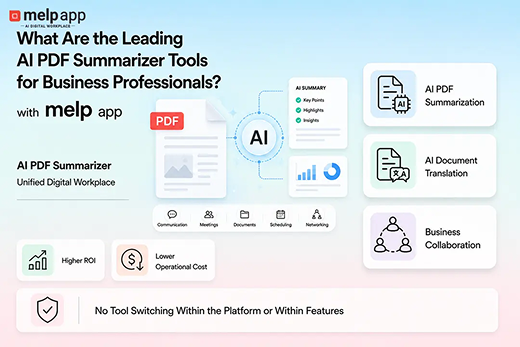
  • Built-in multilingual communication supports text-to-text translation, speech-to-speech translation, document translation, and AI document summarization, allowing global teams to collaborate naturally across different languages.
  • Complete communication experience includes team messaging, audio calls, video conferencing, breakout rooms, calendars, file sharing, collaborative documents, whiteboards, and task coordination within one platform.
  • No tool switching helps employees remain productive because communication, meetings, collaboration, scheduling, AI capabilities, and document management remain connected inside a single digital workplace.
  • Enterprise-grade security supports organizations that require strong compliance, secure collaboration, protected business information, and controlled access across internal and external users.
  • Integrations with popular business applications help organizations connect existing workflows while reducing disruption during adoption and making collaboration more efficient across departments.
  • Higher return on investment and lower operational costs are achieved by replacing multiple standalone collaboration products with one unified platform that simplifies administration and reduces software complexity.
  • Scalable for organizations of every size, melp app supports startups, growing businesses, enterprises, and multinational organizations looking for a future-ready collaboration platform that evolves with changing business requirements.

Final Thoughts

There’s no perfect platform — only the one that works best for your people. A well-matched Team Collaboration Platform doesn’t just replace scattered tools, but also serves as a dependable collaborative working platform for long-term business growth. It brings your team together, keeps everyone aligned, and helps them get more done with less stress.

Start with your team’s real needs. Choose a tool that’s simple, secure, and flexible. And make sure it feels like a help, not a chore.

Because when collaboration works, everything else gets easier.

Your team deserves a platform that’s simple, flexible, and built for real work. With Melp, streamline your communication, stay organized, and collaborate from anywhere.

 Sign up now and try Melp today

Frequently Asked Questions

1. What is a Team Collaboration Platform?

A Team Collaboration Platform is software that brings communication, file sharing, meetings, scheduling, and project discussions into one centralized workspace. It helps teams reduce scattered communication, improve coordination, and stay organized throughout daily work. melp app provides an all-in-one team collaboration platform that supports both internal and external collaboration from a single digital workplace.

2. How do I know if my organization needs a new collaboration tool?

If your team struggles with long email chains, missed updates, scattered files, disconnected meetings, or unclear project ownership, it may be time to replace your current solution. The right communication and collaboration platform should simplify workflows instead of creating additional complexity. melp app helps organizations centralize communication, collaboration, and AI-powered productivity within one platform.

3. How do I choose the best secure platform for remote team collaboration?

Choose a platform that combines strong security with practical collaboration features. Look for encryption, multi-factor authentication, permission controls, secure file sharing, reliable meetings, and responsive customer support while ensuring the platform remains easy for employees to adopt. melp app offers enterprise-grade security together with a unified collaboration experience for distributed teams.

4. How do I choose a collaboration platform for virtual teamwork?

Begin by understanding your team’s daily collaboration challenges and selecting a solution that supports messaging, meetings, file sharing, scheduling, and collaboration in one place. A reliable team connection platform should improve communication without making workflows more complicated. melp app helps virtual teams collaborate efficiently through one connected digital workplace.

5. What platforms help keep project discussions organized?

Platforms that organize conversations through dedicated channels, shared workspaces, discussion threads, and document collaboration make projects easier to manage. Modern team collaboration platforms also improve visibility into decisions and ongoing work. melp app keeps discussions, meetings, files, and collaboration connected so project information remains easy to follow.

6. Why is simplicity important when choosing a Team Collaboration Platform?

A collaboration platform only creates value if employees actually enjoy using it. Simple navigation, intuitive workflows, and faster onboarding encourage higher adoption while reducing training time and user frustration. melp app focuses on making collaboration straightforward without sacrificing advanced business capabilities.

7. What are the top collaborative platforms for remote and hybrid teams?

Leading collaboration platforms typically combine messaging, video meetings, file sharing, scheduling, mobile accessibility, and secure communication into one solution. Businesses often compare platforms based on usability, scalability, and long-term productivity rather than feature count alone. melp app supports remote and hybrid teams through one integrated collaboration environment.

8. Why should I test a collaboration platform before rolling it out company-wide?

Running a pilot with one department allows organizations to evaluate usability, employee adoption, workflow improvements, and overall business impact before making a company-wide decision. Testing also helps identify whether the solution can function effectively as a corporate collaboration platform for long-term growth. melp app allows organizations to validate collaboration improvements before wider deployment.

9. How does Melp help teams collaborate better?

melp app combines messaging, audio and video meetings, calendars, scheduling, file sharing, AI productivity features, multilingual communication, and external collaboration within one workspace. It also supports organizations looking for a collaborative working platform that reduces tool switching while improving productivity across departments and locations.

10. Is Melp a good option for organizations with global teams?

Yes. Global organizations need secure communication, multilingual collaboration, flexible scheduling, and support for employees working across different locations and time zones. melp app provides real-time collaboration, translation capabilities, AI-powered productivity, and a unified communication and collaboration platform that helps global teams stay connected and aligned.

11. How do I choose the right platform for cross-team project collaboration?

Choose a platform that keeps conversations, files, meetings, and task updates connected instead of spreading work across multiple applications. Look for strong security, easy onboarding, and support for both internal and external collaboration. melp app provides a unified collaboration environment that simplifies cross-team project coordination.

12. How do I choose a communication platform for distributed teams?

Distributed teams need a platform that offers reliable messaging, video meetings, mobile access, scheduling, and document sharing while keeping everyone connected across locations. A dependable communication and collaboration platform should make collaboration easier rather than more complicated. melp app helps distributed teams stay aligned through one connected digital workplace.

13. How do I choose the right collaboration platform for my organization?

Start by identifying your organization’s communication challenges, future growth plans, security requirements, and collaboration needs. Compare platforms based on usability, scalability, and business outcomes instead of feature lists alone. melp app supports organizations with an all-in-one collaboration platform designed for long-term growth.

14. How do I choose the right communication platform for distributed teams?

The right platform should support secure communication, real-time collaboration, flexible scheduling, and seamless access from desktop and mobile devices. It should also help employees collaborate efficiently regardless of location. melp app enables distributed teams to work together through one integrated workspace.

15. How do I choose a trusted collaboration platform for cross-functional teams?

Cross-functional teams work best when communication, meetings, files, and project discussions remain connected in one place. A trusted group collaboration platform should encourage transparency, simplify coordination, and improve visibility across departments. melp app helps cross-functional teams collaborate without switching between multiple tools.
Evaluate each platform based on collaboration experience, security, scalability, integration capabilities, user adoption, and long-term operational value. Software teams should prioritize solutions that reduce complexity while supporting rapid communication and development workflows. melp app combines communication, collaboration, AI productivity, and project coordination within one digital workplace.

17. How do I choose between different work management platforms for team collaboration?

Compare platforms according to how well they support everyday work rather than the number of available features. Consider ease of use, collaboration, scheduling, document management, and long-term flexibility. melp app helps organizations manage communication and collaboration from one unified platform.

18. How do I choose the right collaboration tool for my organization in the United States?

Organizations in the United States should evaluate collaboration tools based on security, compliance, scalability, multilingual support, integrations, and overall employee experience. The ideal corporate collaboration platform should improve productivity while simplifying communication across departments. melp app offers a modern collaboration environment suitable for growing organizations.

19. How do I choose the right collaboration platform for cross-team projects?

Successful cross-team projects require clear communication, shared files, organized meetings, and visibility into ongoing work. Choosing reliable team collaboration platforms helps teams stay aligned throughout every project stage. melp app keeps cross-team collaboration connected through one secure digital workplace.

20. What are the top collaborative platforms for remote and hybrid teams?

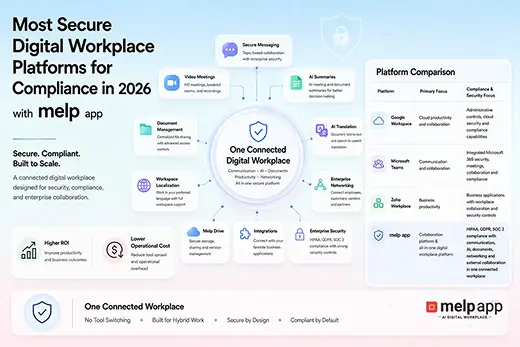
Popular collaboration platforms include melp app, Google Workspace, Slack, Microsoft Teams, Zoom, and Zoho. Organizations compare these solutions based on communication quality, collaboration capabilities, security, scalability, and ease of adoption. melp app brings messaging, meetings, AI productivity, multilingual collaboration, and external collaboration together within one platform.

21. What features should a modern team collaboration platform include?

A modern platform should provide messaging, video conferencing, file sharing, scheduling, AI productivity tools, mobile access, enterprise security, and support for external collaboration. It should also reduce the need to switch between multiple applications. melp app combines these capabilities within one integrated digital workplace.

22. Why is a unified collaboration platform better than using multiple communication tools?

A unified platform reduces communication silos, improves productivity, keeps project information organized, and minimizes time lost switching between applications. Using a single team working platform also simplifies administration and improves employee adoption. melp app helps organizations centralize communication, collaboration, and AI-powered workflows in one secure environment.
Share this article

Explore more from the Melp Blog

Product updates, security notes, and collaboration guides.

Browse all articles