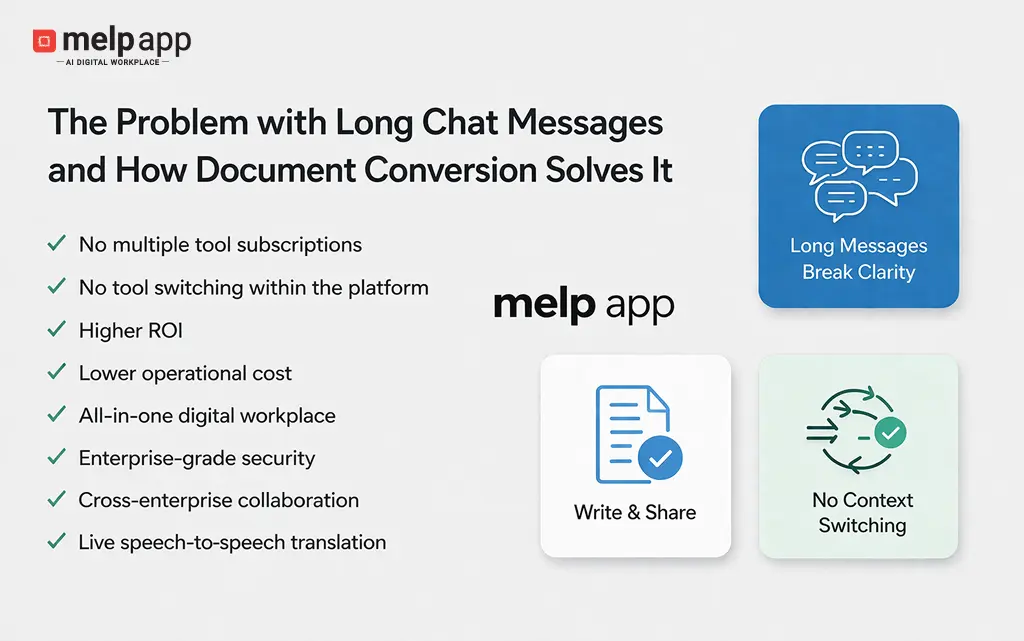
When communication starts slowing work instead of moving it forward
Chat has become the default way teams communicate, but in many workplaces, it is no longer as effective as it once was. Business owners, startup founders, IT managers, team leaders, and HR managers often deal with conversations that are overloaded with long messages, copied content, and scattered inputs. What should help teams move faster often creates confusion and slows decision-making.
This challenge is not limited to one type of content. Long messages can come from research notes, internal documentation, emails, blog articles, or outputs generated using tools like ChatGPT, Google Gemini, and Perplexity AI. Regardless of the source, once large amounts of content are pasted into chat, it disrupts the natural flow and makes communication harder to consume.
What problems do long chat messages create in real workplace communication
Long chat messages may seem informative, but they create multiple issues that impact productivity, clarity, and collaboration. Below are the most common problems teams face when long content is shared directly inside chat.
Chat readability breaks immediately
Chat is built for short, continuous interactions. When a large message appears, it pushes earlier conversations out of view and makes it difficult to follow the discussion. Teams lose context quickly and struggle to connect ongoing conversations.
Important information gets buried
When long messages are mixed with normal chat, key points often get hidden inside large text blocks. Employees may miss critical updates simply because they are not clearly visible.
Employees stop engaging with content
Most employees scan messages during work. When they see a long message, they tend to skip or partially read it. This reduces the actual impact of the information being shared.
Knowledge becomes hard to reuse
Chat is not structured for storing information. Long messages get lost over time, making it difficult to retrieve and reuse important knowledge later. Many organizations now focus on structured workplace communication to improve long-term information accessibility and
Decision-making slows down
When clarity is missing and information is scattered, teams take longer to act. Managers need to repeat instructions, and employees need follow-ups, which delays execution.
According to a study by Atlassian, employees lose up to 31% of their time to inefficient communication and constant context switching, highlighting how fragmented workflows directly reduce productivity.
Try melp app to simplify how your team communicates, shares content, and collaborates without switching between tools. Experience a more structured, connected, and efficient way of working within a single workflow.
Why links and manual document workflows fail in restricted work environments
To avoid clutter, teams often share links instead of pasting content. While this looks cleaner, it does not work in many real workplace scenarios. In several organizations, especially in enterprises and regulated environments, employees are not allowed to open external websites. Browsers are restricted, and only approved tools within the workplace environment can be accessed.
This creates a practical gap between decision-makers and employees. IT managers or team leaders may have access to external sources for research, but the rest of the team often does not. When links are shared in chat, employees may not be able to open them at all. As a result, important information never reaches the people who actually need it.
Because of this limitation, teams are forced to follow a workaround that takes extra time and effort:
- Access the content externally (only by authorized users)
- Copy the information
- Create a document in Drive, Word, or another tool
- Paste and format the content
- Save the file and generate a link
- Return to chat and share it
- Then explain or discuss it separately
This process not only slows down communication but also breaks context repeatedly. Even within the same ecosystem, users end up switching between multiple tools just to share one piece of information. Instead of solving the problem, it creates additional steps and delays.
This is exactly where many business teams have started moving toward melp app, as it allows IT managers and team leaders to convert and share structured content directly inside chat without depending on external links or restricted environments.
Why modern teams need structured communication inside chat
Work today is no longer limited to internal teams. Startups, enterprises, and growing organizations depend on collaboration with external partners, vendors, and clients. This increases communication complexity and makes unstructured chat ineffective.
Many companies are now realizing that communication needs to be structured without losing speed. This is where melp app is being adopted by teams that want to manage both internal and external collaboration in one place while keeping conversations clear and usable.
How document conversion inside chat solves this problem
Document conversion inside chat creates a balance between speed and structure. Instead of pasting long content or sharing links, messages can be converted into documents directly within chat. This keeps conversations clean and makes information easier to read and reuse.
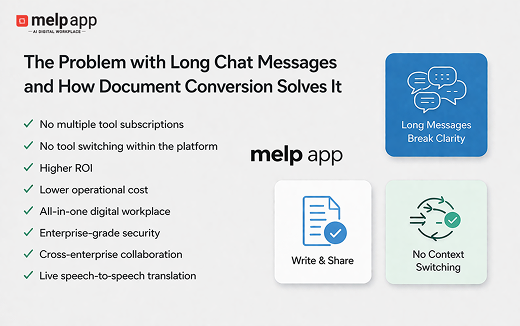
With melp app, the Write and Share feature allows messages to automatically convert into documents once they cross a certain length, and even shorter messages can be manually converted when needed. This ensures that teams can share structured information without switching tools or breaking context.
- Chat remains clean and easy to follow
- Content becomes structured and readable
- No external links required
- No switching between tools
- Documents stay available within the same workflow
Want to simplify how your team shares long content without breaking communication flow? Try melp app and experience how structured sharing inside chat can improve clarity and speed.
How One Academy Improved Content Sharing and Teaching Flow Across Teams
A professor named Michael, who runs an online academy, followed a strict teaching approach. He believed students should not directly copy answers generated by AI tools, especially when solving mathematical problems. Over time, he noticed that many students had started relying on AI outputs without understanding the logic behind them. Because of this, he clearly instructed his students to solve problems on their own first and use AI only as a support, not as a shortcut.
At the same time, Michael still needed to share refined explanations and structured problem-solving methods with his students. He often researched content and improved it before sharing, but he could not share full AI conversations, and he avoided sending external links. To manage this, he started creating documents manually and sharing them separately, but this process took time and broke the natural flow of teaching and discussion. The teaching flow was interrupted repeatedly because teams kept switching between multiple tools.
What was happening in his workflow:
- Students copied AI-generated math solutions without understanding
- He avoided sharing raw AI conversations
- He created documents manually to refine explanations
- He switched between multiple tools to create, share, and discuss content
- The teaching flow was interrupted repeatedly
- Collaboration with another academy became difficult due to different tools
When Michael’s academy began collaborating with another academy that used a different system, both teams initially focused on solving external collaboration challenges. During this process, they explored melp app. What started as a need for collaboration quickly turned into a complete workflow improvement when they realized everything could be managed within a single environment.
- Long content converted into documents directly inside chat using Write and Share
- No need to create documents in separate tools
- No dependency on external links
- Chat, document sharing, and discussion happened together
- Video calls and real-time explanation supported learning
- Speech-to-speech and text-to-text translation improved understanding
- AI meeting summaries captured important discussions
- Breakout rooms enabled focused sessions
- Built-in drive worked within the same environment without separate URLs
Over time, both academies stopped relying on multiple tools and shifted their workflows into one place. Michael’s original challenge was resolved because he could now share structured, refined explanations without students depending on raw AI outputs, and without interrupting the teaching flow.
Moving toward clear and connected communication
As communication grows more complex, businesses are realizing that chat alone is not enough. Long messages, broken links, and constant switching are clear signs that traditional workflows are no longer efficient. Teams need systems that combine communication, content, and collaboration in a single flow.
Many organizations are now shifting toward melp app to reduce friction, improve clarity, and manage communication more effectively without relying on multiple disconnected tools. This shift is helping teams move faster while keeping information structured and accessible.
How melp app Reduces Context Switching While Sharing Long Content
One of the biggest challenges teams face while sharing long content is deciding how to present it without breaking the flow of communication. Instead of pasting large messages or relying on external links, many teams are now focusing on converting content into structured formats directly within chat. This is where the Write and Share capability becomes highly relevant, as it allows long messages to be turned into documents without leaving the conversation.
With melp app, Write and Share is designed to handle this problem at its core. When a message crosses a certain length, it can automatically convert into a structured document, and even shorter content can be manually converted when needed. This helps teams share detailed information in a readable format while keeping the chat clean and focused. More importantly, the document stays within the same conversation, allowing teams to read, discuss, and act on it without switching tools.
Melp app follows a different approach to collaboration, which is also reflected in its full form, Multi Enterprise Linking Platform. Instead of limiting communication within a single organization, it is designed to connect multiple enterprises, teams, and external partners within the same environment. This makes it easier for businesses to manage both internal and external collaboration without relying on separate systems or disconnected workflows.
A key difference many teams notice is that melp app does not separate functionalities into different URLs or disconnected tools. Unlike workflows where chat, drive, and meetings operate in separate spaces, everything here works within the same environment. Teams can move from chat to document, from document to discussion, and from discussion to meeting without losing context or opening new interfaces.
Beyond Write and Share, melp app supports a connected workflow that brings multiple capabilities together in one place:
- Chat, file sharing, and document management within the same environment
- Built-in melp drive without separate URLs or tool switching
- Video meetings with breakout rooms, live captions, and whiteboard tools
- AI meeting summarization for quick understanding
- Speech-to-speech and text-to-text translation for multilingual communication
- Calendar and meeting scheduling for better coordination
- Evaluation mode for structured interviews and assessments
- Professional networking and external collaboration within the same workspace
- Integrations with popular tools such as Asana, Google Drive, and Salesforce
- Security standards, including HIPAA, GDPR, ISO, SOC 2, MFA, and a VAPT-tested environment
- Audit trails and audit logs for compliance and tracking
- Localization support, where the workspace adapts to the user’s preferred language
- Personal rooms and face-centering features for improved meeting experience
Because everything is connected within a single workflow, teams do not have to depend on multiple tools or switch between different systems. This reduces delays, improves clarity, and helps teams stay focused on actual work instead of managing where their work is happening.
Key Takeaways
- Long chat messages reduce readability and break the natural flow of communication
- Important information often gets buried inside large text blocks
- Employees tend to skip or partially read long messages, reducing impact
- Chat is not designed for storing or reusing structured knowledge
- Sharing external links leads to distraction, low engagement, and access issues
- In restricted work environments, many employees cannot open external links at all
- Manual document creation and sharing increases time consumption and tool switching
- Context switching between tools directly reduces productivity and focus
- In-chat document conversion helps keep communication clean and structured
- melp app enables teams to share, discuss, and manage content in one continuous workflow without switching tools
Conclusion: Why structured communication is becoming essential
Long chat messages are not just a small inconvenience. They reflect a deeper problem in how teams share and consume information. As businesses continue to scale and collaborate across boundaries, the need for structured communication becomes more important.
Document conversion inside chat provides a practical way forward. It allows teams to share detailed information without disrupting conversations, making communication clearer, faster, and more effective over time.
Try melp app to bring structure to your team’s communication and reduce the friction caused by long chat messages. Experience how sharing documents inside chat can improve productivity without adding extra steps. This is why many businesses are now adopting unified digital workplace solutions that combine communication and collaboration within one workflow.