If you’ve ever felt like your workday is split between more apps than actual work, you’re not alone. Teams today often run on a patchwork of tools—one for messaging, one for files, another for tasks, plus a handful of extras for meetings, notes, or reporting. What starts out as “helpful” quickly spirals into a mess of logins, constant notifications, and missed updates. That’s tool overload in action, and it’s quietly eating away at workplace efficiency.
The truth is, people don’t want more tools. They want better ways to work. That’s where an all-in-one digital workplace steps in. By pulling core tasks into one place, it cuts through the noise and helps teams focus on results instead of chasing apps. Let’s dig into what tool overload really looks like, why it matters, and how consolidating tools changes the game for business productivity.
What Is Tool Overload?
Tool overload happens when employees rely on too many workplace collaboration tools, making it harder to stay productive. Instead of saving time, those tools scatter information and slow things down.
Harvard Business Review reported that the average worker switches between apps more than a thousand times a day. Think about that: hours lost every week just moving from one platform to another. Over time, that constant context switching leads to frustration, burnout, and mistakes.
You can spot tool overload when:
- Important messages get buried in multiple chat threads.
- Two people unknowingly redo the same work because updates live in different apps.
- Project files exist in five places, but no one knows which version is final.
- Teams feel drained because they’re managing software instead of doing their jobs.
For managers, tool overload doesn’t just slow teams down—it chips away at trust, focus, and ultimately business productivity.
Why Tool Overload Hurts Workplace Efficiency
The Hidden Costs of Too Many Platforms
At first, it doesn’t seem like a big deal to add one more app. But costs build quickly. Licenses add up, IT support gets stretched, and employees waste hours bouncing around a confusing tool stack.
Research from Forrester found that companies juggling six or more separate workplace apps see efficiency drop by up to 30%. In other words, what looks like “choice” actually creates more friction.
Collaboration Takes the Hit
Tool overload is especially tough on team collaboration because conversations and files become scattered across multiple platforms. When conversations are scattered, context disappears. A project update in one tool might never reach the person who needs it most. That gap can delay work or leave teammates feeling like they’re working in silos.
Take a mid-sized design agency, for instance. Their team often lost hours just hunting for the right file. A draft might be stuck in an email chain, uploaded to one storage platform, or buried in a chat. Sometimes designers worked on outdated versions, and deadlines slipped. Instead of creating, they were untangling digital clutter.
How an All-in-One Digital Workplace Fixes the Chaos
An all-in-one digital workplace isn’t about adding yet another tool. It’s about replacing the patchwork with a single hub where messaging, file sharing, task tracking, and even analytics live together.
Streamlined Workflows
When everything happens in one place, digital workplace workflows become faster and less fragmented. A teammate can discuss an idea, attach the right file, assign a task, and set a deadline—all without switching apps. That smooth flow cuts down wasted time and keeps projects moving.
Better Transparency
Because files, tasks, and conversations sit side by side, visibility improves. Managers can track progress at a glance while improving workplace transparency. Teammates know exactly which version of a document to use. Clarity replaces confusion.
Lower Costs
Instead of paying for a pile of apps, businesses can reduce operational costs by consolidating workplace software and companies save on subscription fees, training, and IT support. The platform itself becomes easier to scale as the business grows.
Real-Life Workplace Stories
A Marketing Firm Simplifies Its Workflow
One 40-person marketing firm hit a breaking point with nine separate apps. Briefs lived in one place, creative files in another, client feedback in yet another. Employees constantly asked, “Where’s the latest version?”
After moving to an all-in-one digital workplace, everything clicked. Project managers could create tasks inside the same space where files and conversations lived. Designers no longer wasted time digging through old folders. Within a quarter, on-time delivery jumped by 25%, and clients noticed the difference.
A Remote Startup Gains Alignment
A fully remote startup with employees across three continents struggled with remote team collaboration. Updates were scattered across chat, email, and project trackers, and teammates often felt out of sync.
Shifting to an all-in-one digital workplace gave them a true home base. Conversations, tasks, and documents lived together, so even those working asynchronously stayed in the loop. Meeting time dropped by almost 40%, since people could catch up on progress without scheduling yet another call.
Why Consolidation Works: Research and Data
The numbers back up the shift toward tool consolidation:
- McKinsey found that employees spend nearly 20% of their week searching for internal information. Centralized digital workplaces cut that waste dramatically.
- Deloitte reported that organizations with integrated digital tools see 30% higher employee satisfaction compared to those with scattered systems.
- Gartner predicts that by 2026, six out of ten companies consolidating collaboration tools will report measurable productivity gains and stronger retention.
These stats highlight why businesses are shifting from multiple tools to all-in-one platforms. It’s about fewer, smarter tools.
Making the Transition Smooth
Moving to an all-in-one digital workplace doesn’t mean flipping a switch overnight. With the right steps, the transition feels natural, not disruptive.
Step 1: Audit Existing Tools
Make a clear list of every app your team uses and what purpose it serves. You’ll likely find overlaps where multiple tools do the same job.
Step 2: Focus on Essentials
Prioritize the core needs: communication, file sharing, task tracking, and reporting. Those form the foundation of workplace efficiency.
Step 3: Get Team Input
Employees know where the pain points are. Ask them which tools slow things down and which features they value most.
Step 4: Offer Support and Training
Even the best tool fails if people don’t know how to use it. Short training sessions and an open support channel make adoption smoother.
The Long-Term Payoff
Beyond saving time and money, an all-in-one digital workplace changes how teams feel about work. It creates better alignment while improving the overall employee experience.
When employees aren’t buried in notifications or searching for missing files, they can focus on the work that matters—building client relationships, solving problems, and innovating. Over time, that shift builds a stronger culture, higher engagement, and better results.
Facing Tool Overload? Try Melp – All-in-One AI Digital Workplace Software
Let’s be honest—most of us have been there. You’re in the middle of a project, juggling three or four apps, hopping between chat threads, emails, and document drives. By the time you’ve found what you need, you’ve lost track of half your morning. Frustrating, right? That’s tool overload in action.
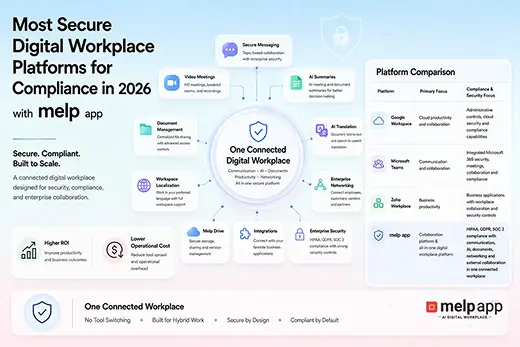
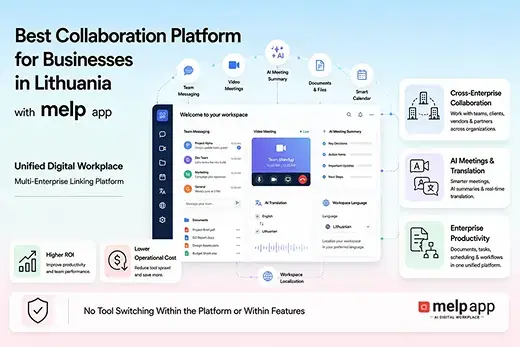
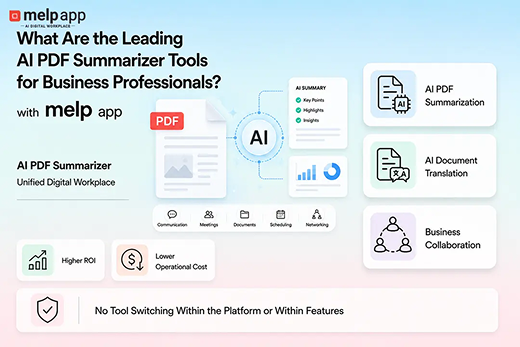
Melp AI Digital Workplace solves this by putting everything in one place. Messages, files, tasks, and meetings all live together. You don’t have to remember which app to open or which version of a file is correct. It’s like finally clearing the clutter off your desk—suddenly, work feels manageable.
I remember working with a marketing team who were drowning in apps. One designer said, “I spend more time flipping between tools than actually designing.” After moving to a unified digital workspace, they could find files instantly, check updates in real-time, and even track project progress without constant follow-ups. Deadlines became less stressful, and the team actually enjoyed working together again.
The beauty of an all-in-one system isn’t just saving time. It gives clarity. Everyone knows what’s happening, who’s responsible for what, and where to find the latest information. Teams stop duplicating work, managers get better oversight without hovering, and employees finally feel like they can focus on meaningful work.
Even for teams spread across the country—or the world—things stay on track. AI meeting summaries and real-time translations keep everyone on the same page, no matter where they are. Miscommunication drops, stress levels go down, and collaboration actually improves.
So if your team is buried under too many apps and constant context-switching, trying an all-in-one AI digital workplace like Melp can completely change the game. Less chaos, more clarity, and finally, space to get real work done.
Final Thoughts
Tool overload is one of the biggest hidden challenges facing workplaces today. More apps don’t equal more productivity—they often do the opposite.
An all-in-one digital workplace flips the script. By consolidating communication, collaboration, and workflows into a single hub, it restores clarity and momentum. For managers and business leaders, the return is clear: less distraction, more collaboration, and a healthier workplace culture.
Instead of adapting to tools, your tools should adapt to you. That’s the real value of consolidation.
Streamline Your Workday with Melp
Managing endless tools doesn’t have to be your new normal. An all-in-one digital workplace gives your team clarity and focus by putting everything in one place. From communication to collaboration, you can finally cut the noise and work smarter. Sign up today with Melp and see how much easier collaboration can be.