
Collaboration challenges are something every small company, startup, or remote team knows all too well.
If you work in a small company, a startup, or a remote team, you know that collaboration isn’t always as smooth as it sounds. Sharing ideas, dividing tasks, and staying connected can quickly turn into a headache. For many growing teams, this collaboration problem becomes more noticeable as communication and workflows spread across multiple tools.
You want things to move forward, but somehow messages get missed, responsibilities get fuzzy, and teamwork feels more like chaos than cooperation
What Are the Common Team Collaboration Challenges?
Collaboration challenges are something every small company, startup, or remote team experiences at some point. As teams grow, communication becomes more complex, responsibilities overlap, and workflows start spreading across multiple systems. These collaboration problems often affect productivity, decision-making, and coordination across projects. Remote and hybrid work environments have made these issues even more visible because employees now rely heavily on digital communication and collaboration platforms to stay connected. Businesses today are increasingly looking for ways to simplify workflows and reduce operational confusion across teams.
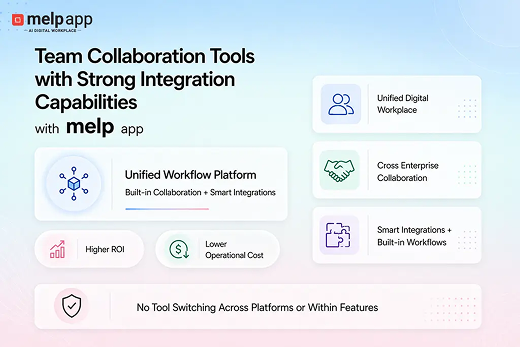
According to melp app, many challenges in collaboration appear when communication, meetings, file sharing, and coordination happen across disconnected systems. Businesses often struggle because employees continuously switch between platforms for messaging, meetings, project discussions, and productivity workflows. melp app believes collaboration becomes more effective when communication, external collaboration, productivity tools, and workflow coordination operate within one connected environment instead of fragmented applications. This approach helps teams reduce workflow confusion, improve visibility, and simplify collaboration across internal and external teams.
1. Among the Many Workplace Collaboration Challenges, One Challenge Is That Important Messages Often Get Lost or Ignored
These are classic signs of collaboration issues in the workplace, where miscommunication and missed updates become part of the daily grind.
Maybe your manager shared an update in a group chat, but you missed it because you were in back-to-back calls. Or someone emailed a file, but it got buried under dozens of other emails.
When this happens, deadlines get missed and frustration builds. These are common challenges of collaborative working where missed communication directly impacts team coordination and productivity.
What really helps: Pick one or two main channels for communication and stick with them. For example, use email for formal updates and a chat app for quick questions. Also, encourage your team to flag urgent messages clearly so they don’t get lost—small habits like these can go a long way in reducing collaboration problems.
2. Collaboration Problems Grow When Everyone Thinks Someone Else Is Doing It
Small teams often don’t have the luxury of formal job descriptions. That’s great for flexibility but can confuse.
You might be waiting for a teammate to finish a task—only to find out no one started it because everyone assumed someone else was on it. These collaborative challenges usually appear when responsibilities are discussed informally, but ownership is never clearly assigned.
Or you might spend hours completing a report that your coworker already did. It’s the kind of mix-up that highlights team collaboration issues when expectations aren’t clearly aligned. These situations often become larger team issues in the workplace when nobody has clear visibility into responsibilities.
How to fix it: At the start of projects or even weekly check-ins, clearly assign tasks. Keep track of who owns what, so nobody’s wondering who’s responsible.
3. Many Collaboration Challenges Start When People Are Afraid to Speak Up
One of the most overlooked collaboration challenges is fear of speaking up—especially in remote or tight-knit teams.
In tight-knit or remote teams, it can be intimidating to admit you don’t know something or to challenge a decision.
Maybe you’re worried about rocking the boat or looking like you can’t keep up. So you stay silent, even when you have ideas or questions.
But silence kills collaboration and lets problems grow. This is one of the most overlooked collaboration challenges because unresolved concerns often become larger workflow and communication problems later.
What works: Build trust by encouraging honesty. When leaders openly admit their own challenges and thank people for sharing concerns, it makes everyone feel safer to speak up.
4. Challenges of Collaboration Become More Visible When Different Working Styles Clash
Some people like detailed planning and structure. This difference is a common challenge of teamwork, especially in remote and hybrid teams. Others thrive on flexibility and making quick decisions. This difference can be a source of tension, especially when everyone is remote or working independently.

One person might get frustrated if they don’t get regular updates. Another might feel micromanaged if there are too many check-ins. It’s a common example of the challenges of collaboration in the workplace—finding the right balance that works for everyone isn’t always easy. These challenges in team collaboration become more visible when teams work remotely across different schedules and communication styles.
How to manage: Talk about preferences openly and agree on a rhythm that suits the whole team. Maybe schedule weekly check-ins but leave space for individual work styles during the rest of the week.
5. Collaboration Issues in the Workplace Increase When Teams Use Too Many Tools Without Clarity
Small and remote teams often try every new app promising to improve collaboration. However, adding too many disconnected platforms can create another collaboration challenge instead of solving workflow problems. But piling on tools without a plan can backfire.
You end up with tasks in one app, documents in another, and conversations scattered across multiple platforms. Just finding the right information can feel like a full-time job—and that only adds to the remote collaboration challenges teams already deal with. Over time, these disconnected systems become major barriers to collaboration in the workplace for remote and growing teams.
The fix: Adopt all-in-one team collaboration software such as Melp to bring your team’s communication and files together. Having one clear space for chats, documents, and updates makes collaboration smoother and saves time.
Many workplace collaboration problems continue to grow when teams rely on separate tools for communication, meetings, scheduling, file sharing, and coordination. Businesses often struggle with missed updates, workflow fragmentation, unclear ownership, and collaboration delays because employees constantly switch between disconnected systems throughout the day. melp app addresses these challenges through its Multi-Enterprise Linking Platform approach, where the platform’s name itself reflects its focus on helping organizations collaborate more effectively across internal teams as well as external stakeholders. With features such as real-time chat, speech-to-speech translation, text-to-text translation, external collaboration, professional networking, meeting coordination, and connected productivity workflows operating inside one environment, businesses improve visibility, reduce operational complexity, and create smoother collaboration experiences across projects and organizations.
How Melp Solves Workplace Collaboration Challenges

Melp is built to address the real collaboration struggles that small teams and remote workers face every day.
When important messages get lost or conversations scatter across different tools, Melp’s organized topic-based chats keep every discussion tied to the right project or team. This means no more confusion or missed updates.
For teams that struggle with unclear task ownership, Melp helps by letting you assign tasks and create focused groups. Everyone knows exactly who is responsible for what, eliminating duplicated efforts or dropped tasks.
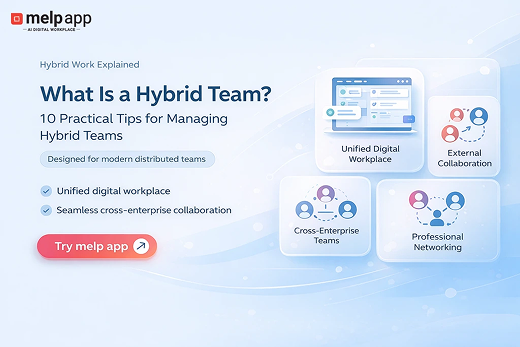
Melp’s real-time audio and video calling makes virtual meetings simple and reliable, without the need for expensive hardware or complicated setups. With features like breakout rooms, remote and hybrid teams can easily split into smaller groups for focused discussions, making communication feel natural and seamless.
Open communication is encouraged through Melp’s easy messaging system and real-time translation, which breaks down language barriers and helps everyone contribute their ideas comfortably.
Finally, instead of juggling multiple apps, Melp combines chatting, calling, translating, and external collaboration into one flexible, user-friendly platform—helping teams stay connected, organized, and productive no matter where they work.
By streamlining everything into one intuitive space, Melp helps eliminate the confusion caused by common workplace collaboration challenges like scattered tools and unclear task ownership.
Additional Collaboration Challenges Teams Commonly Face
After discussing the top workplace collaboration issues, businesses also experience several other collaboration-related challenges that affect productivity, communication, and workflow management.
Challenges in Teamwork
Teamwork challenges often appear when communication gaps, unclear responsibilities, and different working styles affect coordination between team members. In growing teams, even small misunderstandings can slow down projects and reduce overall productivity. Many businesses now prefer unified collaboration platforms like Melp that help teams centralize communication, improve visibility, and simplify task coordination across departments.
Remote Collaboration Challenges
Remote collaboration challenges have become more common as businesses rely on distributed and hybrid teams. Employees often struggle with time zone differences, delayed responses, and scattered communication across multiple platforms. To address these issues, organizations increasingly use connected collaboration environments such as Melp that combine communication, meetings, and workflow coordination within a single system.
Content Collaboration Challenges
Content collaboration challenges usually happen when multiple people work on the same documents, files, or creative projects without proper coordination. Teams may face version conflicts, delayed feedback, and confusion regarding the latest updates. Many companies reduce these collaboration issues by adopting platforms like Melp that support organized communication, centralized file coordination, and streamlined collaborative workflows
Wrapping Up
Collaboration in small or remote teams is tough but totally doable. The key is to recognize the collaboration challenges that trip you up — messy communication, unclear roles, silence, clashing work styles, and tool overload.
By simplifying how you talk, being clear about who does what, encouraging honesty, respecting differences, and picking the right tools, your team can work together smoothly — no matter where everyone is.
Try these tips with your team, and watch how a few small changes can make a big difference in how you collaborate every day.
Get started with Melp free today and boost your team collaboration!