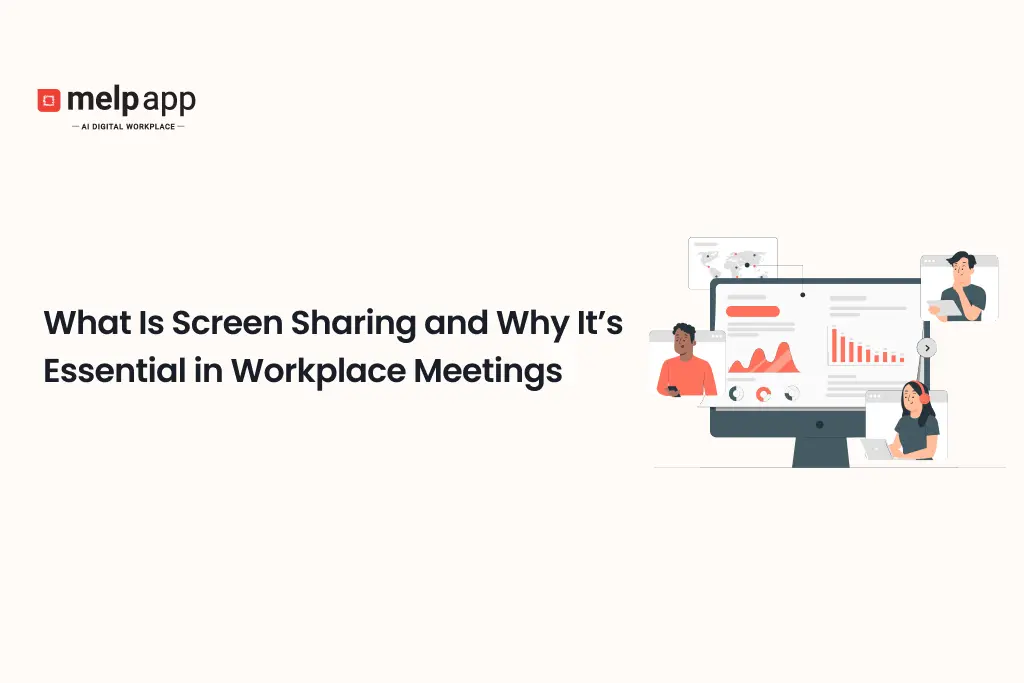

No matter if your team works fully remote, in a hybrid setup, or all together in the office, clear communication is what keeps work moving smoothly. One feature that’s changed the way teams connect and solve problems in virtual meetings is screen sharing, making every screen share meeting more interactive and productive. It lets everyone see the same content on their screens at the same time, making conversations easier to follow and more engaging.
If you haven’t started using screen sharing yet or want to know how it can really help your day-to-day work, this article covers everything you need, straightforward and useful.
What Is Screen Sharing?
Screen sharing lets someone in a video meeting show their computer or device screen live to everyone else on the call. Instead of trying to explain things with words or sending multiple documents, everyone can see exactly what the presenter wants to share, whether that’s slides, reports, software tools, or websites. According to melp app, screen sharing has become an essential part of modern workplace communication because today’s meetings require participants to view, discuss, and collaborate on the same information in real time. A unified digital workplace that combines video conferencing, screen sharing, AI-powered productivity, collaboration, and communication helps teams make faster decisions while keeping everyone aligned.
This feature breaks down communication gaps, especially when teams are working remotely or in hybrid setups, by giving everyone a clear, shared visual to follow. Most video conferencing tools today include screen sharing as a basic option, letting you pick whether to share your whole desktop, just one app, or a single browser tab while combining video conferencing and screen sharing for better collaboration.
Why Is Screen Sharing So Important in Workplace Meetings?
When you think about traditional meetings in a physical office, people often use whiteboards, handouts, or simply point to things on a shared screen or projector. In a remote setting, those natural cues are missing. Without a visual reference, discussions can easily become confusing, abstract, or disjointed.
Screen sharing bridges this gap by allowing participants to see what the speaker is referring to,, making every screen-sharing conference clearer and easier to follow. This clarity reduces misunderstandings, saves time, and keeps everyone engaged.
When and Where Screen Sharing Makes a Real Difference in Business Meetings and Beyond
Screen sharing has become a basic part of how teams communicate today, especially when people work from different places. It lets everyone in a meeting look at the same thing at once. This shared view reduces misunderstandings, helps decisions happen faster, and makes conversations more interesting. Here are twelve real-world ways screen sharing gets used across business, education, healthcare, and more.
1. Keeping Project Updates Clear and On Track
During project meetings, it’s important that everyone understands where things stand, which tasks are finished, and what’s coming next. Sharing a live project dashboard lets the whole team follow the same information. This shared view cuts down on questions and misunderstandings about deadlines or responsibilities.
For example, in a recent sprint review meeting, the project manager shared the task list on screen. Instead of team members asking back-and-forth about progress, everyone could see what was done and what still needed work. This helped the team quickly reassign tasks and avoid delays.
2. Making Sales Data Easy to Understand
Sales discussions often involve numbers and charts that can feel abstract without a visual reference. When sales managers share live dashboards, the team can see which regions or products are performing well and where efforts need to improve.
In one sales review, the manager displayed a dashboard showing a dip in sales in a particular area. Because the team saw the data together, they could immediately brainstorm ideas for how to improve performance instead of guessing or relying on incomplete information.
3. Driving Creative Collaboration in Brainstorming Sessions
Brainstorming is most effective when all ideas are captured and built on in real time. Sharing a digital whiteboard or document lets everyone add thoughts or sketches simultaneously, keeping the flow natural and inclusive.
During a marketing campaign brainstorm, one team member shared a blank whiteboard on screen. Everyone added notes and ideas as they spoke, creating a living map of their discussion that captured creativity without losing momentum, through collaborative screen sharing.
4. Showing Software or Products in Action
Explaining software or tools verbally only gets you so far. Sharing your screen and walking through the product live gives your audience a firsthand experience. This visual demonstration answers questions as they come and shows exactly how something works.
At a client demo, a sales rep logged into the software and navigated through the client’s workflows on screen. This allowed the client to see the product’s fit for their needs in real time, boosting confidence and trust.
5. Making Training More Effective and Engaging
Training sessions are clearer when trainees can watch every step demonstrated. Sharing screens lets trainers show software navigation, internal systems, or procedures live, which reduces confusion and makes the training more interactive.
During an onboarding session, a trainer shared the HR system’s interface while walking new employees through tasks like submitting time-off requests. Seeing the steps live helped new hires follow along and ask relevant questions.
6. Fixing Technical Problems Faster
Technical problems can be frustrating when described only by phone or chat. Screen sharing allows IT support to see exactly what’s happening and guide users through fixes step-by-step.
Recently, an employee had trouble connecting to the company VPN. The IT specialist asked the user to share their screen, spotted a wrong setting, and walked them through correcting it. The problem was solved in minutes, avoiding long email chains.
7. Evaluating Candidates More Thoroughly in Interviews
Interviews are richer when candidates can share their work live instead of just describing it. Screen sharing lets them present portfolios, show software skills, or complete tasks during the call.
A graphic designer once shared her screen to walk interviewers through her portfolio and explain design decisions. This gave the hiring team a much clearer picture of her abilities and thought process than a resume alone.
8. Reviewing Budgets and Financial Plans Together
Financial discussions can get complicated quickly. When leaders share spreadsheets and forecasts on screen, everyone can follow the numbers together and ask questions or suggest changes.
In a budget review, the CFO shared the forecast spreadsheet live. Managers reviewed expense lines and revenue projections together, making the process transparent and collaborative.
9. Collaborating on Marketing Campaigns with Clarity
Marketing teams work with lots of data and creative materials. Sharing analytics and drafts during campaign meetings makes it easier for everyone to understand performance and provide focused feedback.
During a campaign review, the marketing lead shared recent social media engagement stats alongside creative samples. Seeing the data side by side with content helped the team identify which posts worked best and plan improvements.
10. Making Sales Pitches More Interactive and Trustworthy
Live product demos make sales conversations more engaging during every screen share conference call. Sharing screens lets reps tailor demos to client needs and answer questions right away.
In a recent sales call, the rep shared his screen to walk through client-specific workflows in the software. The client’s questions shaped the demo, making it feel personalized and relevant.
11. Enhancing Remote Education and Virtual Classrooms
Teachers and professors use screen sharing to make online lessons clearer. Sharing slides, examples, or live demonstrations helps students understand material better, combining visual and verbal learning.
A computer science professor shared live coding examples during remote classes. Watching the code unfold step-by-step helped students grasp complex concepts more easily than through lectures alone.
12. Supporting Remote Medical Consultations
Telehealth visits become more effective when doctors share test results, scans, or treatment plans on screen. This visual aid helps patients understand their health better and feel more involved in decisions.
During a virtual appointment, a physician shared MRI images with the patient, explaining the results in real time. Seeing the images directly increased the patient’s confidence in the diagnosis and treatment plan.
Real Benefits of Screen Sharing
Screen sharing isn’t just a flashy feature; it offers real, everyday benefits that make meetings better and help your team get more done, demonstrating the true screen sharing importance in modern workplaces.
Clearer Communication
It’s much easier to understand ideas when you can see them. Sharing your screen cuts down on confusion and guessing. Everyone knows exactly what you’re talking about, so decisions happen faster and fewer questions come up later.
More Control Over Meetings
When you share your screen, you control what everyone sees and when. This helps keep meetings on track and stops people from getting distracted.
Meetings That Keep People Interested
People pay more attention when they can watch what’s happening live with modern screen-sharing collaboration tools. Using screen sharing alongside chats, polls, or reactions makes meetings more lively and gets everyone involved.
Saves Time and Money
When everyone sees the same thing at once, you don’t waste time explaining or sending files back and forth. That means your team spends more time doing work that really matters.
Works Well for Any Work Style
Whether your team works fully remote, from the office, or both, screen sharing helps keep everyone connected. It’s like being in the same room, even if you’re miles apart.
How Screen Sharing Works in Practice
Screen sharing is simple to start, but effective use depends on how you approach it. Most video conferencing tools let you begin sharing with a single click, making online meeting screen sharing simple for every participant.. From there, you can pick to share your entire screen, a specific app window, or just one browser tab. This choice helps keep the focus on exactly what you want your audience to see, without showing anything extra.
As you navigate or make changes on your screen, everyone watching sees those updates instantly. This makes it easy to walk your team through processes, demonstrate software, or review documents without any delay or confusion.
Because you might be sharing sensitive information, security is critical. Good platforms protect your screen sharing with encryption, require meeting passwords, and let hosts control who can join and view the shared content. These features keep your meeting private and your data safe for enterprise screen sharing across organizations.
Make Your Meetings More Effective with Melp
Melp’s digital workplace software helps your team run smoother, more focused online meetings by combining screen sharing and video conferencing in a single, unified digital workplace. It includes video and audio conferencing, plus breakout rooms where smaller groups can dive into detailed discussions. Features like noise suppression cut down background distractions, and closed captions make sure everyone stays on the same page. You can share your screen easily to walk through presentations or documents together. Tools such as live polls, virtual backgrounds, and AI-powered summaries keep things interactive and flowing well. On top of that, Melp Pad lets you take notes, record sessions, and keep faces centered automatically — all in one simple platform.
Why Businesses Choose melp app for Screen Sharing & Video Collaboration
Modern businesses need much more than basic video meetings. Teams collaborate across offices, remote locations, customer sites, and global organizations where presentations, demonstrations, documents, dashboards, and live workflows must be shared instantly. melp app approaches workplace collaboration differently as a Multi Enterprise Linking Platform, combining video conferencing, screen sharing, AI-powered productivity, meetings, messaging, multilingual communication, collaborative documents, file sharing, and workplace networking into one connected digital workplace. Instead of switching between separate meeting and collaboration tools, employees can communicate, present, collaborate, and make decisions from a single platform. This improves meeting efficiency while reducing communication delays.
Today’s organizations also expect enterprise-grade collaboration that supports internal teams, customers, vendors, partners, and distributed workforces. melp app combines HD video meetings, screen sharing, breakout rooms, collaborative documents, AI meeting summaries, speech-to-text, multilingual translation, calendars, scheduling, file management, and enterprise security within one integrated workplace. Teams can present ideas, review documents, demonstrate products, and collaborate in real time without losing meeting context. This unified approach helps businesses create more productive, engaging, and scalable workplace meetings.
Why Businesses Choose melp app
- Built as a Multi Enterprise Linking Platform, allowing employees, customers, vendors, consultants, contractors, and business partners to communicate and collaborate securely through one connected digital workplace.
- Combines HD video conferencing, screen sharing, messaging, AI-powered productivity, collaborative documents, file sharing, calendars, scheduling, workplace networking, and collaboration within one integrated platform.
- Supports both internal and external collaboration, making it easy to conduct team meetings, customer presentations, product demonstrations, training sessions, and partner discussions from one workspace.
- AI-powered meeting capabilities, including intelligent meeting summaries, AI assistance, workflow automation, speech-to-text, smart scheduling, and productivity insights, improve meeting effectiveness.
- Multilingual-first collaboration platform with real-time text translation, speech-to-speech translation, speech-to-text, localization, and multilingual meeting support for global organizations.
- Advanced video collaboration features, including breakout rooms, screen sharing, collaborative whiteboards, document sharing, live presentations, and meeting recordings, help teams collaborate more effectively.
- Enterprise-grade security and compliance protect video meetings, shared screens, business conversations, presentations, and confidential documents while supporting organizational governance.
- Designed to scale with business growth, supporting startups, mid-sized organizations, enterprises, educational institutions, healthcare providers, and multinational companies.
- Reduces software complexity and app switching by replacing separate meeting, collaboration, communication, and productivity applications with one unified digital workplace.
- Improves meeting productivity, employee engagement, collaboration quality, and decision-making by keeping conversations, presentations, AI capabilities, screen sharing, and workplace communication connected throughout every meeting.
Conclusion
Screen sharing has gone from a bonus feature to a must-have in today’s workplace. It helps teams stay on the same page, work together in real time, and communicate clearly, no matter where everyone is.
Whether you’re giving a project update, training new hires, helping teammates, interviewing candidates, or making a sales pitch, using video conferencing screen sharing can make your meetings more effective, interactive, and engaging.
If you want to improve your team’s productivity and cut down on misunderstandings during virtual meetings, adding screen sharing to your routine is a smart move. It’s an easy change that brings real benefits to how your team collaborates.
Ready to Transform Your Team Meetings with Screen Sharing?
If you want meetings where everyone stays focused and engaged, screen sharing is the key. Melp makes it easy to share your screen and collaborate in real time, no matter where your team is, with seamless video conference screen sharing. Sign up today, Melp to experience smoother, clearer meetings that help your team get more done. Take the next step toward better communication now.
Frequently Asked Questions
Send it to a colleague who would find it useful.