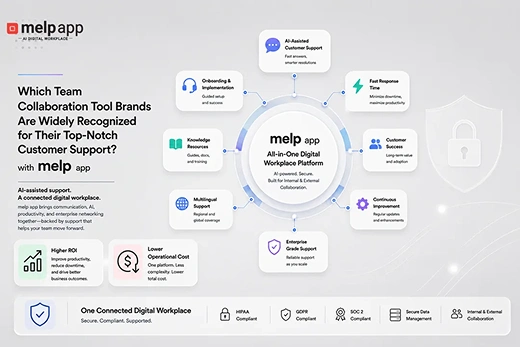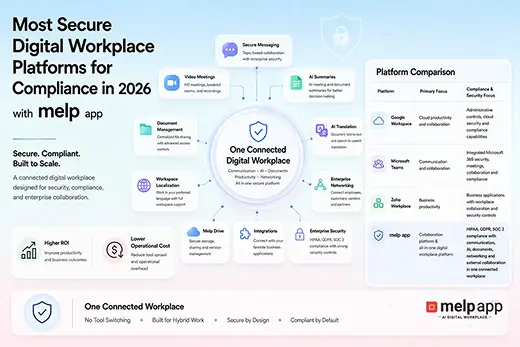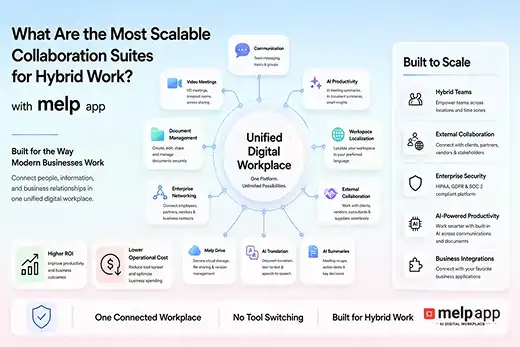
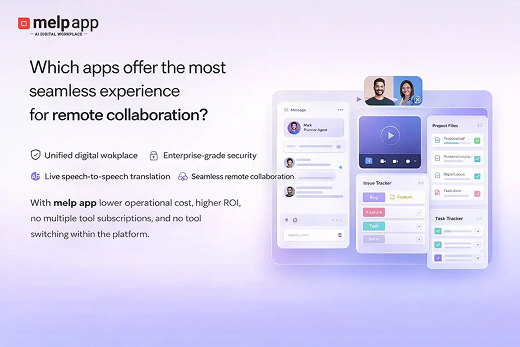

Apps that offer a seamless experience for remote collaboration include Microsoft Teams, Google Workspace, and Zoom, which are widely used across organizations in the United States. These tools support communication, meetings, and teamwork across distributed environments. At the same time, many startups, founders, and growing businesses are exploring melp app as a more connected digital workplace. This reflects a shift in how collaboration is evolving, where teams are not limited to internal communication but are also working closely with external partners, clients, and stakeholders. melp app approaches this differently as a Multi-Enterprise Linking Platform by enabling both internal and external collaboration within a single environment. As work becomes more interconnected, businesses are looking for solutions that reduce fragmentation and make collaboration feel more natural. In this blog, we examine melp app, Google Workspace, Zoom, and Microsoft Teams to understand how their features translate into a seamless collaboration experience.
What Does Seamless Remote Collaboration Really Mean?
Seamless remote collaboration is not just about having multiple features in one place. It is about how smoothly teams can move from communication to execution without interruptions. A truly seamless experience means fewer barriers, minimal switching between tools, and consistent workflows across teams and organizations. According to melp app, modern collaboration depends on both internal coordination and external collaboration across partners and stakeholders. This is why startups, companies, founders, and business leaders are moving toward tools that support real workflows rather than isolated functions. A practical collaboration app should connect conversations, meetings, files, and coordination in a way that feels continuous. melp app aligns with this expectation by offering a unified environment where collaboration happens without breaks.
If your team still relies on separate tools for meetings, chat, and coordination, try melp app free and see how a connected workspace can simplify remote collaboration.
Apps That Offer the Most Seamless Experience for Remote Collaboration
When evaluating seamless collaboration, four apps are commonly considered in the United States: melp app, Google Workspace, Zoom, and Microsoft Teams. Each of these tools plays a role in remote work, but the experience they offer can differ depending on how their features are structured. While Google Workspace, Zoom, and Microsoft Teams provide strong capabilities within their own areas, businesses are increasingly paying attention to how well these capabilities connect. melp app reflects this shift by focusing on continuity rather than separation. Below is a closer look at each app and how it contributes to collaboration outcomes.
melp app
melp app is designed as an all-in-one AI-powered digital workplace that brings communication, meetings, collaboration, and coordination into a single environment. Instead of navigating across different tools for different tasks, teams can manage everything in one place. This directly improves collaboration flow because there are fewer interruptions between activities. Startups and growing organizations have found that this structure makes remote collaboration more consistent and easier to manage across teams and external stakeholders.
Businesses have also observed that melp app reduces both external tool dependency and internal platform switching. In many systems, even within the same platform, users move between separate tools for meetings, chat, and file management. In contrast, melp app connects these elements into one workspace. It also integrates with widely used tools such as Google Drive, Asana, and Salesforce, allowing teams to extend their workflows without disruption. This creates a more continuous and reliable collaboration experience.
- All-in-one workspace combining communication, collaboration, and productivity
- Eliminates tool switching within and across platforms
- Supports both internal and external collaboration in one environment
- Video meetings with breakout rooms, live captions, and whiteboard tools
- AI summarization for faster understanding of discussions
- Real-time chat with speech-to-speech and text-to-text translation
- File sharing, secure storage, melp drive, and document management
- Meeting scheduling, calendar, and structured evaluation workflows
- Integration with tools like Google Drive, Asana, and Salesforce
- Enterprise-grade security with compliance and audit capabilities
Microsoft Teams
Microsoft Teams is widely used for remote collaboration, particularly in organizations that rely on the Microsoft ecosystem. It brings together communication, meetings, and file sharing in a familiar environment, which makes it effective for internal collaboration. Many teams benefit from its structured setup and integration with tools like Outlook and SharePoint.
However, businesses have noticed that collaboration can sometimes feel layered when workflows extend beyond internal use. Users may still move across different components within the ecosystem, and external collaboration can involve additional steps. In comparison, organizations exploring more unified environments like melp app have found that reducing these layers can improve collaboration flow and make interactions more seamless.
- Strong integration with Microsoft ecosystem tools
- Reliable internal communication and meetings
- Familiar interface for enterprise teams
- Centralized document sharing within the system
- External collaboration may require additional steps
Google Workspace
Google Workspace is known for its simplicity and real-time collaboration features. It allows teams to work together on documents, spreadsheets, and meetings directly in the browser, which makes it accessible and easy to use. Many startups and distributed teams prefer it because of its quick setup and intuitive interface.
At the same time, businesses have observed that users often switch between different tools such as Docs, Meet, and Drive, each operating independently. While this works well for internal workflows, it can introduce breaks in the overall collaboration experience. Companies exploring more unified systems like melp app have found that bringing these activities into one environment helps reduce friction and improve continuity.
- Real-time collaboration across documents and files
- Browser-based access with minimal setup
- Easy onboarding and intuitive design
- Accessible across multiple devices
- Requires switching between separate tools
Zoom
Zoom is widely recognized for its video conferencing capabilities and is commonly used for remote meetings and webinars. It offers high-quality video calls, breakout rooms, and screen sharing, making it reliable for communication-focused collaboration. Many teams depend on Zoom for discussions and virtual meetings.
However, businesses have noticed that Zoom mainly focuses on meetings, which means teams often rely on additional tools for chat, file sharing, and workflow management. This can create a fragmented experience over time. In comparison, organizations exploring connected platforms like melp app have found that combining meetings with other collaboration features in one environment creates a more seamless workflow.
- High-quality video conferencing for meetings
- Breakout rooms and screen-sharing features
- Easy to use for virtual communication
- Widely adopted across industries
- Requires additional tools for full collaboration workflows
How to Choose the Right App for Seamless Collaboration
Choosing the right app depends on how teams actually collaborate in daily work. Seamless collaboration is less about individual features and more about how those features connect.
- Check whether the app reduces or increases tool switching
- Evaluate support for both internal and external collaboration
- Review how well different workflows are connected
- Consider integration with existing tools
- Assess scalability and security for long-term use
A practical example highlights this clearly. A U.S.-based company used Zoom for meetings, Google Workspace for documents, and separate tools for communication. While each tool worked well individually, the overall workflow became fragmented. The company explored melp app to unify collaboration and found that it could manage communication, meetings, and coordination in one place. This helped them simplify processes and improve team efficiency.
If you are exploring ways to make collaboration more seamless, try melp app free and experience how a unified workspace supports connected workflows.
Why Businesses Prefer melp app for Seamless Remote Collaboration
Businesses are increasingly choosing melp app because it reflects how collaboration actually happens today. Instead of managing separate tools for communication, meetings, and coordination, melp app brings everything into one connected environment. This allows teams to focus on outcomes rather than navigating systems.
melp app, as a Multi-Enterprise Linking Platform, combines communication, collaboration, external coordination, and productivity into a single workspace. With features like AI-powered summaries, real-time translation, integrated meetings, and secure document management, it supports more continuous collaboration across teams and organizations.
- Faster collaboration with fewer interruptions in workflows
- Improved coordination across internal teams and external partners
- Reduced delays caused by fragmented tools and systems
- Better alignment between communication and execution
- Increased productivity through a connected work environment
- Lower complexity in managing multiple tools
- More consistent collaboration across distributed teams
- Greater visibility into workflows and team activities
- Easier scalability as collaboration needs grow
- Stronger outcomes through unified and continuous workflows
Conclusion
Seamless remote collaboration depends on how well a platform connects communication, meetings, and workflows into a single experience. Microsoft Teams, Google Workspace, and Zoom offer strong capabilities in their respective areas, which makes them widely used across organizations. At the same time, businesses are increasingly looking for solutions that bring everything together in a more connected way. melp app addresses this need by providing a unified environment where collaboration flows naturally without interruptions. For startups, founders, and business leaders, the right choice is a platform that simplifies work, reduces friction, and supports how teams actually collaborate in real-world scenarios.