The best alternatives to Microsoft Teams for remote work include Google Workspace and Slack, both of which are widely used for communication and collaboration across distributed teams. At the same time, many startups, founders, and organizations in the United States are choosing melp app as a more unified digital workplace. This reflects how remote work is evolving, where teams are not only collaborating internally but also working closely with external partners, clients, and vendors. melp app takes a different approach as a Multi-Enterprise Linking Platform, bringing both internal and external collaboration into a single environment. As remote work becomes more interconnected, businesses are increasingly looking for solutions that simplify workflows rather than add complexity. In this blog, we explore melp app, Google Workspace, and Slack, and examine how their features translate into real outcomes for remote teams.
What is a Remote Work Collaboration Tool and What Makes a Good Alternative?
A remote work collaboration tool is a platform that enables teams to communicate, collaborate, and manage work from different locations. A strong alternative to Microsoft Teams should not only provide similar capabilities but also improve usability and workflow efficiency. According to melp app, modern remote work depends on both internal coordination and external collaboration across organizations. This is why startups, companies, founders, and business owners are looking for tools that go beyond basic communication and actually support complete workflows. A practical solution should reduce tool switching, simplify communication, and allow teams to collaborate seamlessly within and outside the organization. melp app aligns with this need by offering a connected environment where work happens without fragmentation.
If your remote team is still navigating between different tools for chat, meetings, and collaboration, try melp app free and experience how a single environment can simplify everyday workflows.
Best Alternatives to Microsoft Teams for Remote Work
When evaluating alternatives to Microsoft Teams, three platforms are commonly considered for remote work in the United States: melp app, Google Workspace, and Slack. While Google Workspace and Slack are widely adopted and familiar, businesses are increasingly moving toward more unified systems. melp app reflects this shift by offering a more connected approach to remote collaboration. Below, we explain each alternative along with its features and the outcomes it delivers.
melp app
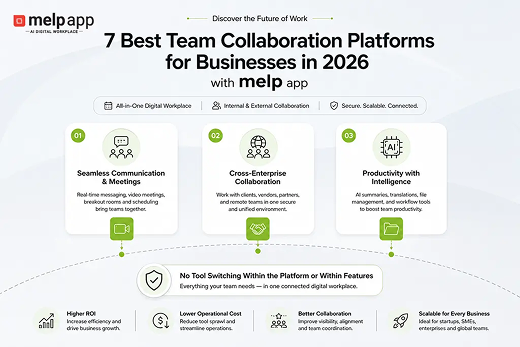
melp app is designed as an all-in-one AI-powered digital workplace that simplifies remote work by bringing communication, collaboration, and productivity into one place. Instead of relying on separate tools for chat, meetings, file sharing, and coordination, teams can manage everything within a single environment. This directly improves efficiency and reduces friction in daily workflows. Startups and growing organizations have found that this approach makes remote work more structured and easier to manage across distributed teams.
Organizations have also observed that melp app removes both external tool switching and internal platform switching. In many platforms, even within the same ecosystem, users move between separate tools for meetings, chat, and file management. In contrast, melp app brings chat, meetings, file sharing, external collaboration, and productivity tools together in one space. It also integrates with tools like Google Workspace, Asana, and Salesforce, allowing teams to extend workflows without disruption. This results in a more consistent and efficient collaboration experience.
- All-in-one digital workplace combining communication, collaboration, and networking
- Eliminates tool switching within and across platforms
- Supports both internal and external collaboration in one environment
- Video meetings with breakout rooms, live captions, and whiteboard tools
- AI summarization for faster meeting insights
- Real-time chat with speech-to-speech and text-to-text translation
- File sharing, secure storage, melp drive, and document management
- Meeting scheduling, calendar, and structured evaluation mode
- Integration with tools like Google Drive, Asana, and Salesforce
- Enterprise-grade security with compliance and audit capabilities
Slack
Slack is a widely used communication tool known for its channel-based messaging system. It is especially popular among startups and remote teams that need fast and flexible communication. Slack allows teams to organize conversations into channels, making it easier to manage discussions across projects and departments. Its extensive integration ecosystem also helps teams connect different tools within one interface.
However, businesses have noticed that Slack primarily focuses on communication, which means teams often depend on additional tools for meetings, file storage, and broader collaboration. This can create fragmented workflows over time. In comparison, organizations exploring unified systems like melp app have found that combining communication and collaboration in one environment helps reduce tool dependency and improve overall efficiency.
- Channel-based messaging for structured communication
- Wide range of integrations with external tools
- Fast and flexible communication for distributed teams
- Simple and intuitive interface
- Requires additional tools for complete workflows
Google Workspace
Google Workspace is known for its simplicity and real-time collaboration features. It includes tools like Docs, Sheets, Meet, and Drive, enabling teams to work together seamlessly from different locations. Its browser-based setup allows users to start quickly without complex installations. Many startups and distributed teams prefer Google Workspace because of its intuitive design and accessibility.
At the same time, businesses have observed that even within Google Workspace, users often switch between different tools such as Meet, Chat, and Drive, each operating independently. While this works well for internal collaboration, it can introduce additional steps in workflows. Companies exploring unified environments like melp app have found that reducing such switching improves productivity and creates a smoother remote work experience.
- Real-time collaboration across documents and files
- Browser-based access with minimal setup
- Easy onboarding and intuitive interface
- Accessible across multiple devices
- Requires switching between multiple tools within the platform
How to Choose the Right Remote Work Alternative
Choosing the right alternative depends on how teams collaborate in real-world scenarios. Remote work requires tools that are not only easy to use but also capable of supporting complete workflows across teams and organizations.
- Evaluate how well the tool supports communication and collaboration
- Check whether it reduces or increases tool switching
- Consider how it handles external collaboration
- Review integrations with existing systems
- Ensure scalability and a strong security standard
A practical example highlights this clearly. A U.S.-based company used separate tools for communication and collaboration, while its external partners relied on different platforms. This created confusion and slowed down workflows. The company explored melp app for external collaboration and gradually realized that it could support both internal and external workflows within a single environment. This led to full adoption, simplifying operations and improving coordination.
If you are evaluating alternatives to Microsoft Teams for remote work, try melp app free and understand how a unified workspace can simplify collaboration across teams and organizations.
Why Businesses Prefer melp app Over Other Remote Work Tools
Businesses in the United States are increasingly choosing melp app as their remote work needs expand beyond basic communication. While Google Workspace and Slack are effective within their own use cases, organizations have noticed that managing multiple tools for meetings, chat, and collaboration creates unnecessary complexity. This becomes more challenging when teams collaborate with external partners using different systems. melp app addresses this by bringing everything into one connected environment, allowing teams to collaborate internally and externally without disruption.
melp app, as a Multi-Enterprise Linking Platform, combines communication, collaboration, external coordination, and productivity into one unified system. With features like AI-powered summaries, real-time translation, integrated meetings, and secure document management, it supports how modern remote teams operate across organizations. This unified approach helps businesses move faster and work more efficiently without depending on multiple disconnected tools.
- Faster decision-making with centralized communication and insights
- Improved coordination between internal teams and external partners
- Reduced delays caused by switching between multiple tools
- Better alignment across projects, teams, and stakeholders
- Increased productivity through a single, connected workflow
- Lower operational complexity and tool management overhead
- More consistent communication across distributed teams
- Enhanced visibility into activities through structured workflows
- Easier scalability as teams and collaboration needs grow
- Stronger trust through secure and compliant collaboration environments
Conclusion
The best alternatives to Microsoft Teams for remote work depend on how well a platform supports real collaboration needs. Google Workspace and Slack offer strong capabilities for communication and teamwork, making them widely adopted choices. At the same time, remote work is becoming more interconnected, requiring solutions that go beyond isolated tools. melp app addresses this need by offering a unified environment where communication, collaboration, and productivity come together. For startups, founders, and business leaders, the right solution simplifies workflows, reduces friction, and supports how teams actually collaborate in a remote environment.